4 Survival Games With Real Pause Controls
Stop the danger, understand what keeps ticking, and pick the right kind of break for your survival game.

RimWorld is the strongest choice if you want to stop the whole survival simulation and think. State of Decay 2 brings a genuine pause to single-player zombie action. Don’t Starve Together lets local hosts and server admins pause a shared world. Zombie Defence combines pausable firefights with a persistent shelter whose production follows its own clock. Each solves a different version of the same problem: real life needs your attention before the game is finished with you.
A true pause stops active danger. A time-control pause can also let you give orders while everything waits. A safe menu is useful only when that particular screen actually pauses the selected mode. Saving and quitting preserves a game according to its save rules, while computer sleep or browser suspension is a separate system entirely. None of those automatically means your exact fight will survive a restart, or that every base timer will stop.
The three Steam selections below cover their named desktop modes. Zombie Defence is a browser Alpha in development; its waitlist provides Alpha news and playtest updates rather than immediate access. The five ratings are editorial judgments about combat, progression, usability, value and this article’s interruption-friendly fit. Decide first whether you want the entire world to wait, a pause you can share with friends, or shelter progress that continues between visits.
The quick comparison
4 games, different reasons to give the next run a chance.
Choose a game to jump to its overview. Platform lists are summaries; check the linked official edition.
The games
Zombie Defence
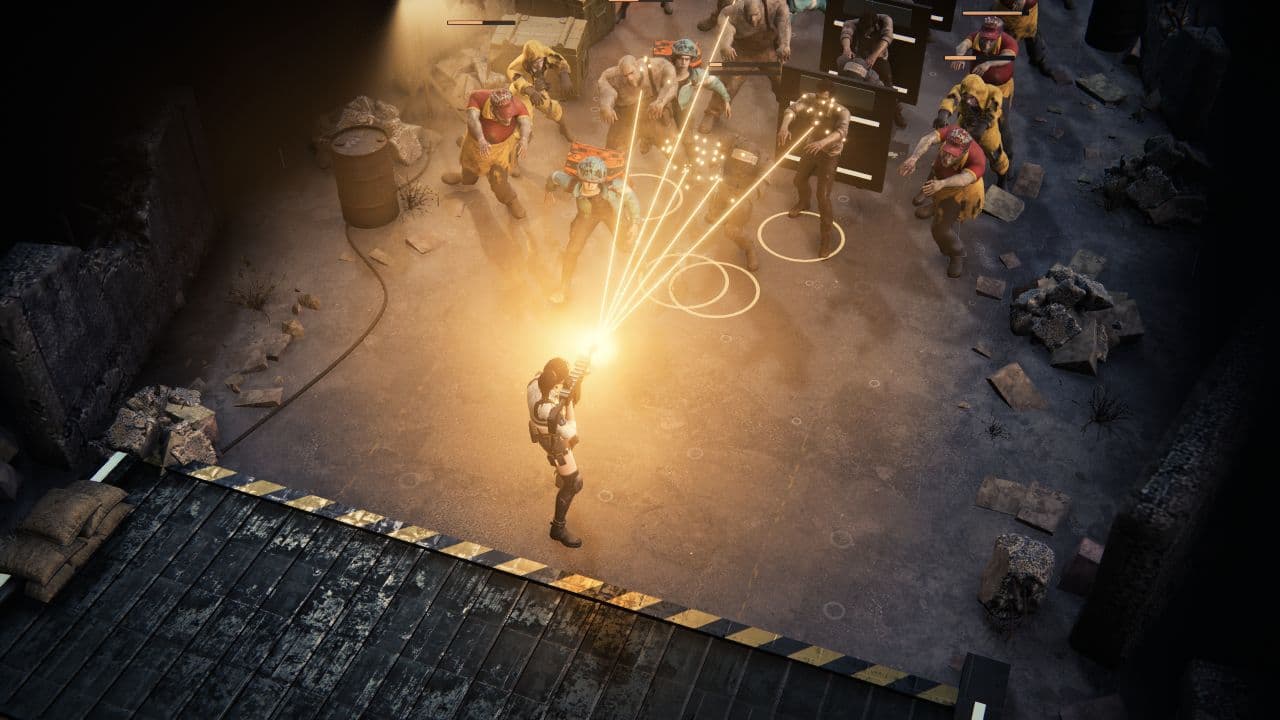
Zombie Defence separates an urgent, hands-on battle from a shelter that can keep making useful progress between visits. That distinction makes its pause system especially relevant to interrupted play.
- Manual aim (desktop)
- Extraction
- Shelter building
- Permanent progress
- Idle progress
- Platforms
- Browser Alpha in development; current single-player PvE scope
- Price model
- Public launch pricing and monetization are unannounced
An interruption should not turn a good shooting run into a scramble for a hiding place. In the current Alpha, the Pause control or Escape stops active battle simulation, and Resume lets you continue that fight. Losing window focus also pauses active combat. The shooting still asks you to move, aim on desktop, manage ammunition and pick escape lanes when you are playing; pause gives you a clean way to put that pressure down. Touch fire uses nearest-enemy targeting rather than desktop cursor aim.
The shelter runs on a different clock. Production and crops use elapsed time, so stopping the battle does not freeze the whole economy. That can be a welcome combination: zombies wait while your existing shelter projects can advance. It also creates a real planning decision. Scrap processing consumes stored inputs and stops at empty inputs or full output storage; pause the processing line itself when you want to reserve Scrap for a weapon or room upgrade. Ripe crops wait for manual harvest instead of demanding that you return at an exact instant.
Pausing and closing the browser are different stopping methods. Resume continues the battle that is still loaded. Reopening after an interrupted page reload settles the active outing instead of restoring that precise firefight. In a Scrap expedition, collected Scrap is retained up to storage capacity, including on interrupted-run settlement or defeat. Shelter investments persist too. That is useful protection for the work already banked, but it should not be mistaken for a save-anywhere snapshot of every enemy, bullet and upgrade in the field.
The best reason to choose this combination is that each return has a purpose. A three-wave sector operation can advance the campaign; a separate city Scrap expedition can fund construction or crafting; a shelter visit can turn a harvest into preparation for another deployment. You can stop an immediate threat without abandoning the larger project. Choose Zombie Defence when active combat plus continuing home progress sounds appealing, and use its explicit pause before stepping away rather than treating browser sleep or tab suspension as a substitute.
The verdict
A strong match for players who want to freeze the danger while keeping a productive home to return to. Use battle pause for a short break and treat a browser restart as the end of the outing.
RimWorld
RimWorld makes pause part of the decision-making. It is the clearest choice here when you want both a safe break and time to sort out a complicated survival emergency.
- Shelter building
- Crafting
- Tactical combat
- Farming
- Platforms
- Windows, macOS and Linux via Steam; unmodded single-player scope
- Price model
- Paid base game; optional expansions sold separately
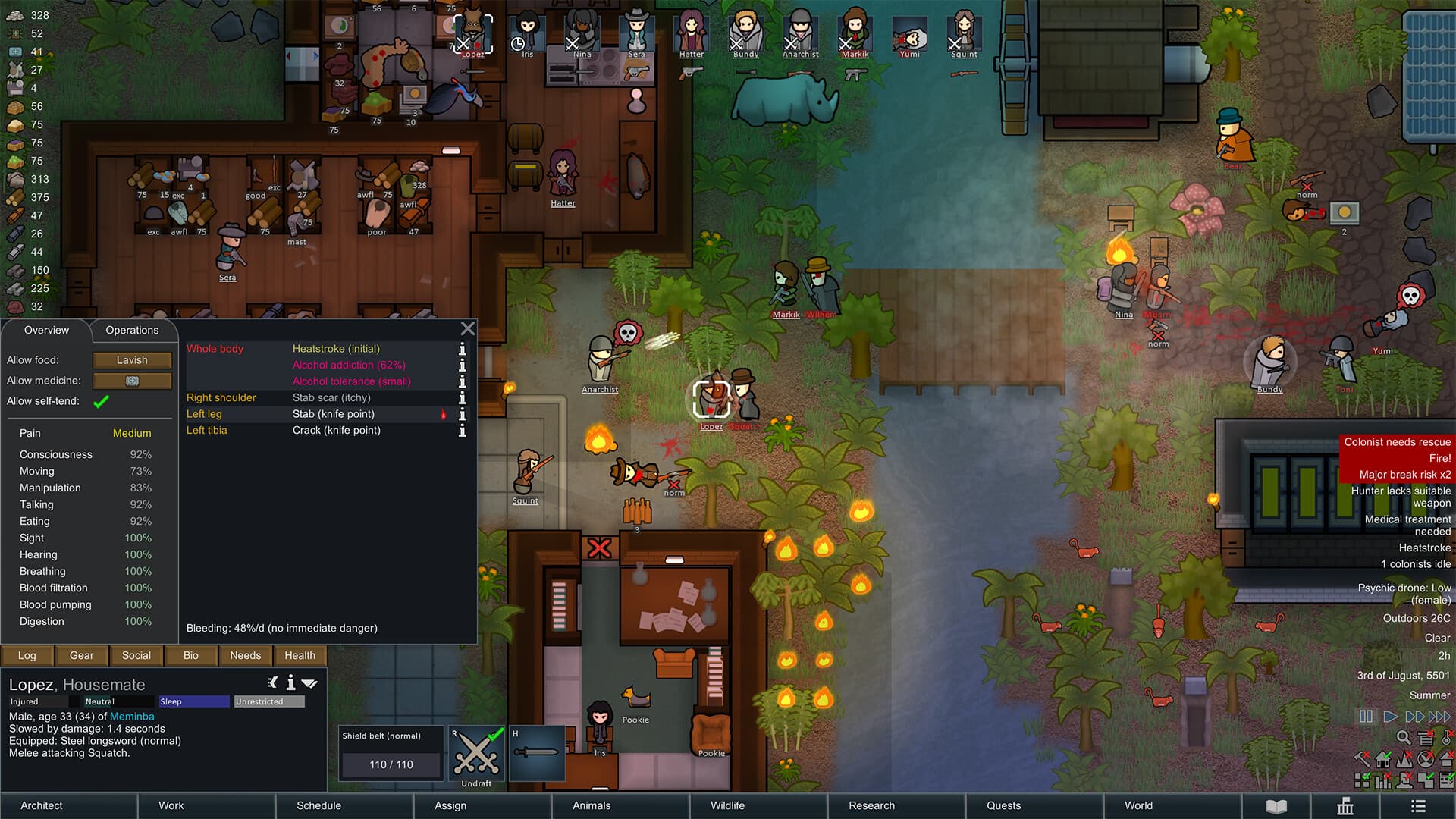
A raid arrives while someone needs medical help and the kitchen is falling behind. Use the pause control or your bound pause key: RimWorld lets you stop the game and give orders before time starts moving again. Its in-game help explicitly encourages this: pausing is a normal tool for handling a busy colony. You are directing people rather than steering one survivor, so the extra thinking time serves a different pleasure from pausing an action game. Inspect the situation, decide what matters first, then let your plan unfold.
The tactical possibilities make that breathing room valuable. Position armed colonists near useful cover, choose who should respond to a threat and rethink work priorities before the colony resumes. Survival also extends to food, weather, wounds and individual needs. Because this is a simulation pause, workers do not get a free shift while attackers stand still: colony activity waits along with the danger. Choose it when you want the world to be exactly as urgent when you return, without an away-time production schedule competing for attention.
For a longer interruption, choose the save rules that match your needs. Reload Anytime mode permits saving and loading whenever you want. Commitment mode restricts manual saving to quitting, so it is a different approach to recovering from a mistake, not a demand to finish the whole colony in one sitting. The options also include Pause on Load and configurable event-letter pausing. Pause on Load is particularly useful when returning to an elaborate colony: first reorient yourself, then restart the clock.
The tradeoff is complexity rather than pressure to remain at the keyboard. A paused colony can still contain a dozen decisions, and learning its work priorities, health information and construction systems takes effort. Start with the base game and a manageable colony instead of assuming every expansion is necessary. RimWorld suits someone who enjoys returning to an unfinished plan, studying it and improving it. If you mainly want to pick up a weapon and immediately understand your next task, Zombie Defence or State of Decay 2 provides a more direct action focus.
The verdict
Choose RimWorld for maximum thinking room. Its combination of tactical pause, configurable stopping points and flexible save mode makes a demanding colony easier to fit around an unpredictable day.
State of Decay 2: Juggernaut Edition
State of Decay 2 is the action-heavy choice: scavenge, fight and build a survivor community, then use a real pause when playing in single-player mode.
- Manual aim
- Shelter building
- Exploration
- Base defense
- Platforms
- Windows via Steam; single-player community play covered here
- Price model
- Paid Juggernaut Edition with its included content; free Xbox account and initial internet sign-in required on Steam
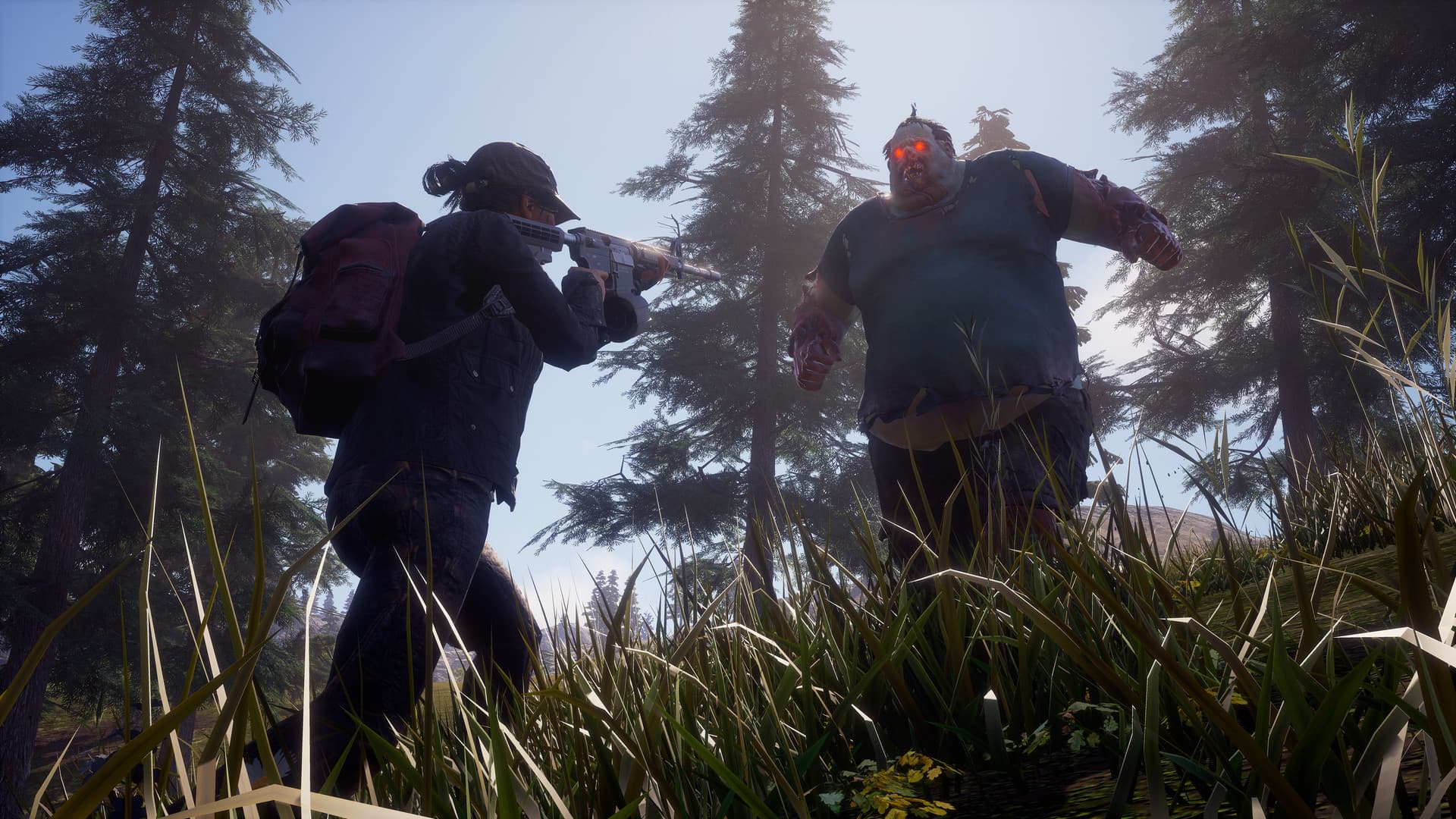
State of Decay 2 puts a specific person and a specific supply run at the center of the next decision. Choose who leaves the community, what to carry and which resource shortage is worth confronting. Direct gunplay and melee give a trip its immediate danger, while the food, ammunition and materials you bring back support the people at home. The result is a strong fit if you want a pause-friendly survival game that still feels physical and tense once the action resumes.
The crucial setting is the session mode. Undead Labs explicitly documents pause in single-player and no pause in multiplayer. Set up single-player when being able to stop immediately is essential, and use the actual pause menu before leaving the controls. The absence of another person on screen is not a reason to ignore your multiplayer settings. Unlike RimWorld, this recommendation is about stopping an action scene for a break; it is not a promise that every inventory, map or base-management screen freezes the world.
A community gives those outings a longer arc. You recruit survivors with different skills and traits, select a home, improve its facilities and decide which person is ready for the next job. Losing a survivor permanently makes those decisions consequential, so a dependable solo pause is more than a convenience. The game also offers separate difficulty controls for action, community and map pressure. That lets you adjust the kind of challenge you want instead of assuming every part of the apocalypse must be equally punishing.
The cost is attention when the game is running. Supplies, people and the trip in front of you can all compete for priority, and enabling cooperative play changes the interruption rules. For a brief interruption during an unfinished activity, stay in the paused single-player session; do not treat a quit-and-reload as a guaranteed snapshot of the exact moment. Choose it for zombie action with a settlement behind it, and choose your solo or social session deliberately before you head into danger.
The verdict
The best choice here for a released, action-led zombie game when you will play solo. Its real pause is valuable, but switching to multiplayer changes the deal.
Don’t Starve Together
Don’t Starve Together can stop the shared world, provided you control the host or admin pause. It is a useful cooperative option when everyone is happy to take the same break.
- Co-op
- Crafting
- Farming
- Exploration
- Platforms
- Windows, macOS and Linux via Steam; local-host or server-admin pause rules
- Price model
- Paid base game; Steam purchase includes an extra gift copy, with optional characters and cosmetics sold separately
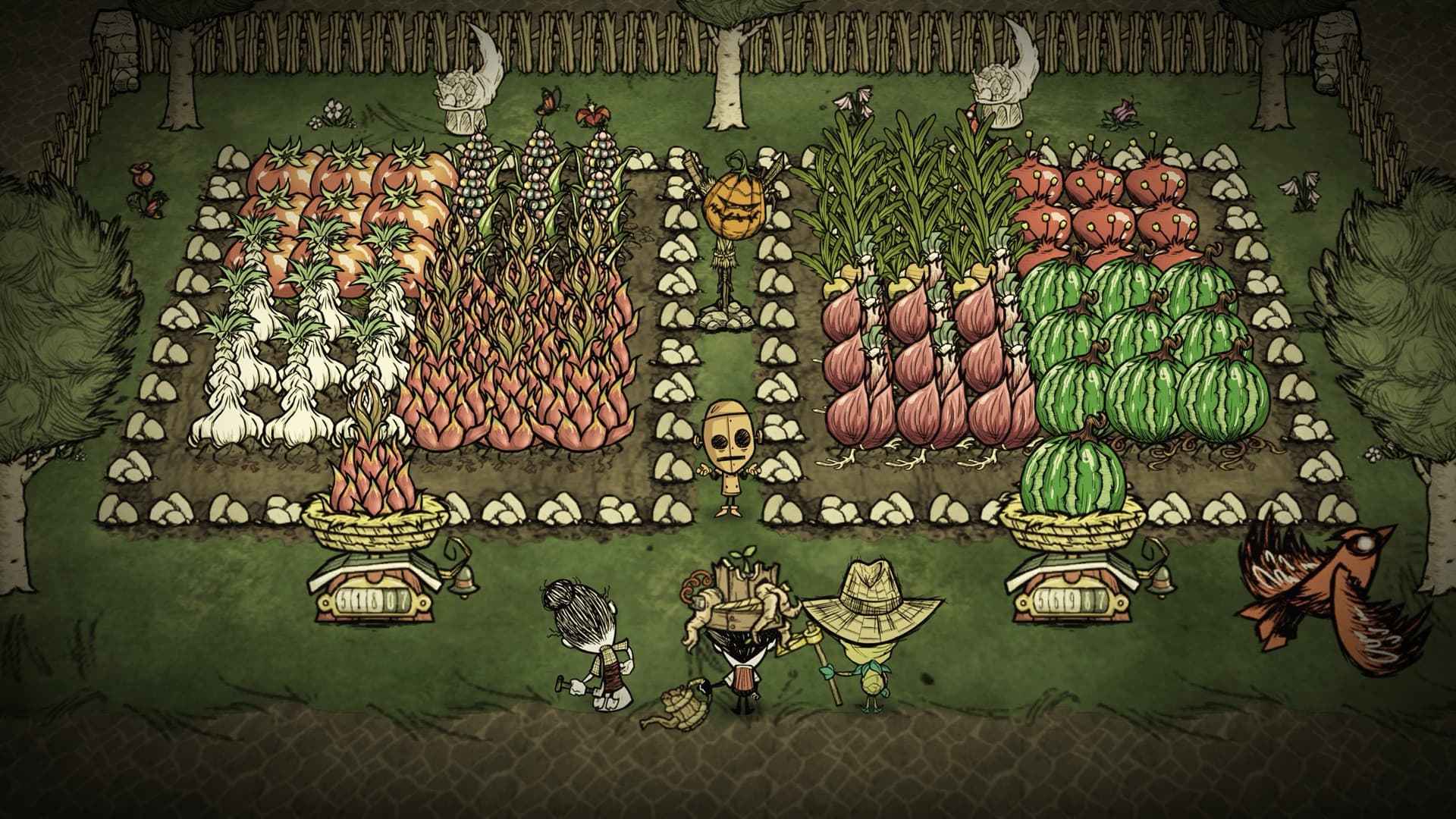
A strange wilderness, a growing camp and another expedition into the unknown make Don’t Starve Together a satisfying project to revisit. Resources become tools and structures; a garden gives you food to work toward; hostile creatures keep exploration from becoming a simple gathering errand. You can face that world alone or share the preparation with friends. For interruption-friendly play, the important choice is who controls the session, because pausing here is a server-wide action.
On the desktop edition, local hosts and server admins can pause with the default P binding. When you are alone in a locally hosted world, or alone on a server where you are an admin, Auto-Pause can stop the world while you use interfaces such as the map or pause screen. Other players being present disables that automatic behavior. A regular guest therefore should not join a public server expecting an independent pause whenever the doorbell rings; arrange the break with the person who can stop the server.
A manual server pause is useful for more than leaving the desk. Klei allows players to manage inventory, inspect crafting recipes, look at the map, chat and disconnect while paused. Those activities let a cooperative group discuss its next move without rushing the conversation. The survival simulation waits rather than granting a private safety bubble to one player. For regular interruptions, a small hosted group that shares that expectation is a much better match than a busy public world with everyone on a different schedule.
This remains a demanding survival game after the break. Preparing food, expanding a camp and dealing with unfamiliar threats gives the session substance, while learning the systems is part of the attraction. Pause supplies thinking time; it does not make preparation irrelevant. Pick Don’t Starve Together when you want the same evolving wilderness for solo evenings and coordinated group sessions. If you need unilateral control over every interruption, keep your world locally hosted and solo, or choose one of the dedicated single-player options above.
The verdict
Excellent for a solo host or a cooperative group willing to stop together. The pause feature is real, but your role in the session determines whether it is yours to use.
How we compare
A good recommendation explains who a game suits and where it falls short. Our editorial scores use the same five criteria, each rated out of ten.
- 01
Combat
Controls, aiming, enemy readability, and the decisions you make under pressure.
- 02
Progression
Build choices during a run and meaningful progress between attempts.
- 03
Usability
Control demands, platform access, interface options, and documented device requirements.
- 04
Value
What the asking price includes, optional purchases, and the scope of the free version.
- 05
Fit
How well the game answers the specific question in this article.
Which one should you try?
Choose RimWorld when you want the world to wait while you plan, and State of Decay 2 when you want direct zombie action with a solo pause. Choose Don’t Starve Together if you host your own world or your group is comfortable stopping together. Zombie Defence offers a different balance: freeze an active firefight, retain useful shelter progress and let capped production give the next visit a purpose. Whatever you choose, make the pause command familiar before the first urgent interruption, and use the game’s save-and-exit rules for a longer absence.
Your questions, answered.
Want to see what we’re building?
Zombie Defence is in Alpha. Join the waitlist.
More games to explore
- 7 Best Survival Games With Relationships and Companions
Find survival games with romance, remembered conversations and useful NPC companions, from Fallout 4 and The Alters to Zombie Defence’s Mara storyline.
- 7 Best Base-Building Games With Worker Assignments
Compare seven base-building games with worker management: station specialists, individual priorities, training, schedules and the production decisions they change.
- 7 Best Shelter Management Games in 2026
Compare seven shelter and colony management games, from Fallout Shelter's room assignments to resource-heavy survival, resident care, and zombie expeditions.