3 Mobile Survival Games for Short Sessions + One Alpha to Watch
Choose between a manual save, a vault check-in, or a dive you can resume.
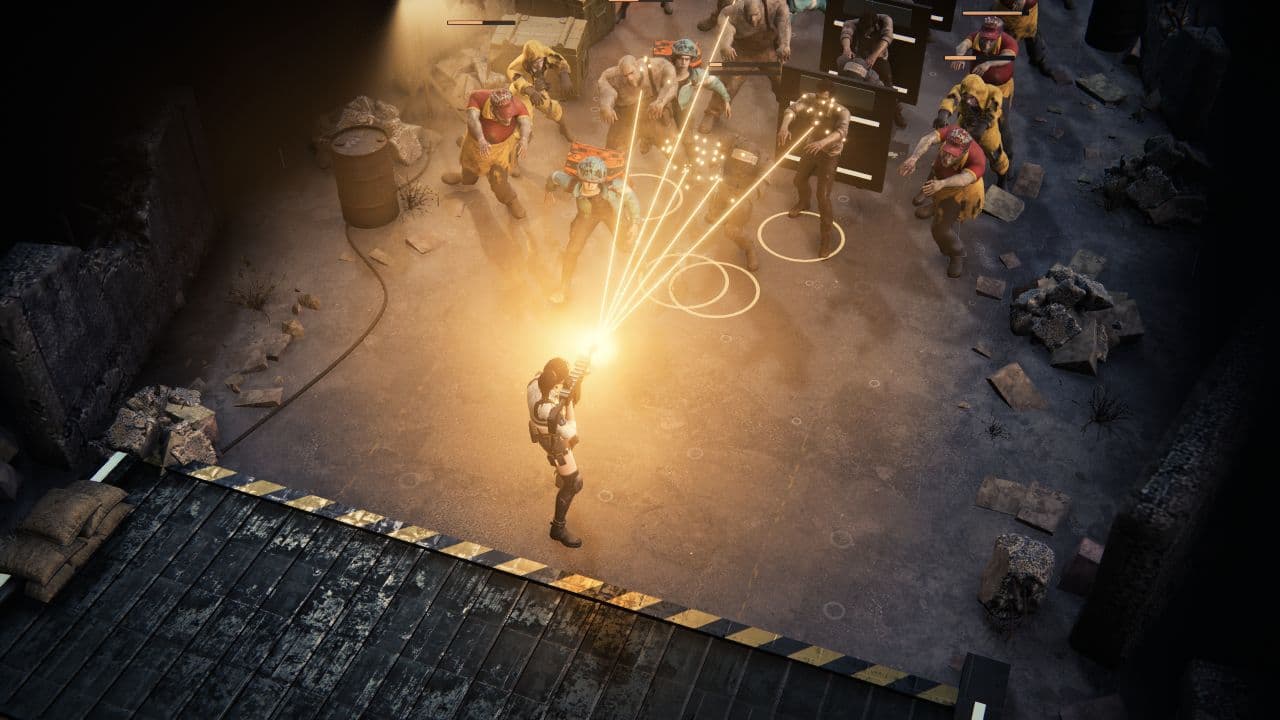
Short-session survival has several versions: Subnautica: Below Zero's iPhone/iPad help documents manual saving and app-switch pause, Fallout Shelter autosaves vault chores, and Deep Rock Galactic: Survivor documents mid-run resume on iPhone and iPad.
Zombie Defence is a separate browser Alpha to watch, not a fourth app: native mobile releases are planned. This comparison focuses on what pauses, what survives leaving, and how each game still asks for your time.
The quick comparison
4 games, different reasons to give the next run a chance.
Choose a game to jump to its overview. Platform lists are summaries; check the linked official edition.
The games
Subnautica: Below Zero
The clearest manual save here; iPhone/iPad pause-and-resume is documented.
- Exploration
- Crafting
- Platforms
- Android and iPhone/iPad; native mobile editions with redesigned touch controls. Check each store's current supported-device list.
- Price model
- Paid premium download; regional storefront prices may vary.
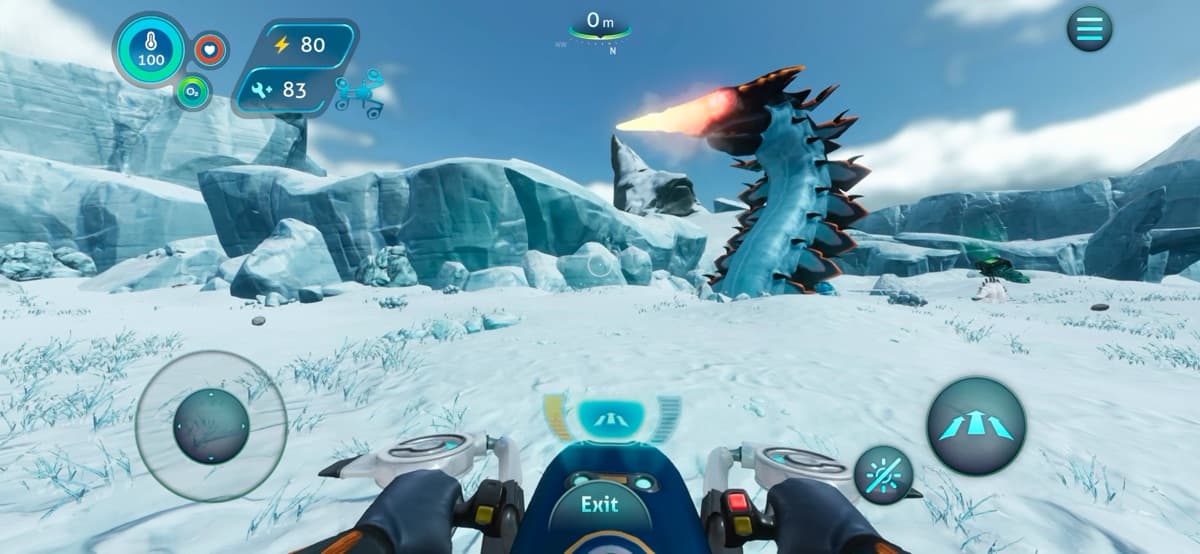
Subnautica: Below Zero has the clearest deliberate exit here. On iPhone and iPad, Playdigious says opening the PDA can trigger an autosave only after at least 2 minutes 30 seconds have passed since the previous one. The menu offers manual Save, and Quit asks you to save. Switching apps pauses play so you can resume; after a full close, the iOS help page says the latest autosave can be resumed or discarded. An in-memory pause is not itself a saved checkpoint.
Short visits work best when you stop somewhere safe: gather, scan, craft gear or a habitat, then save before another dive or trip across the ice. It is still a sprawling arctic open world, not a round-based arena, so one outing can grow. Android and iPhone/iPad listings advertise touch controls and cloud saves between devices on the same platform, but the game is a paid download; Apple's page warns that device support varies, so check before buying.
The verdict
Choose Below Zero when you want exploration that can be paused in memory and saved before leaving. Its menu gives more deliberate exit control than the other action pick here, but the Arctic world is built for ongoing journeys rather than tidy rounds.
Fallout Shelter
A save-friendly management loop with room clocks to mind.
- Shelter building
- Base defense
- Idle progress
- Platforms
- Android and iPhone/iPad; store availability varies by region.
- Price model
- Free to download with ads and optional in-app purchases.
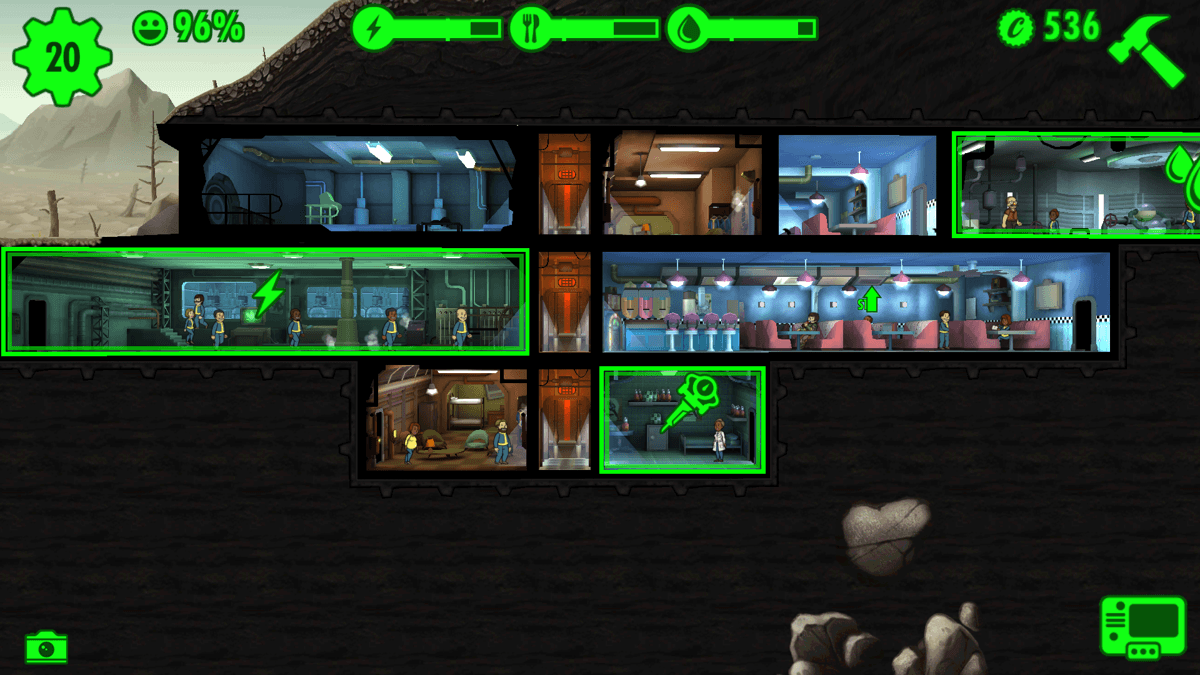
Fallout Shelter is strongest when a ‘short session’ means one or two vault chores. Collect room output, move a Dweller to a better-matched job, build a room, or send someone on a Wasteland quest, then stop: the Vault saves automatically. Cloud backup is separate and opt-in from the Vault List; Bethesda's mobile cloud-restore guidance does not support transferring a vault between Android and iOS. That makes it easy to leave a saved management state without setting a manual exit.
Don't mistake the save for a whole-world pause. The vault asks you to balance power, food, and water while production rooms deliver resources on their own timers; Bethesda's seasonal vaults are also explicitly time-limited. The current Android listing is free to download with ads and in-app purchases. It is an easy pick for small assignment and collection decisions, but the room clocks and pressure to check supply needs can make it feel like a routine rather than a cleanly paused adventure.
The verdict
Pick Fallout Shelter if you like a quick check-in with a visible management payoff. Its save protects the Vault state, but it is a clock-driven base manager rather than an action game you suspend wholesale; check the resource bars before leaving your residents to their routine.
Deep Rock Galactic: Survivor
Action dives with a documented iPhone/iPad return point.
- Fast-paced
- Roguelite
- Extraction
- Tactical combat
- Platforms
- Android, iPhone and iPad; check each store for current regional availability.
- Price model
- Google Play lists a demo and in-app purchases; Apple offers a free try and a one-purchase full-game unlock. Store terms vary by region.
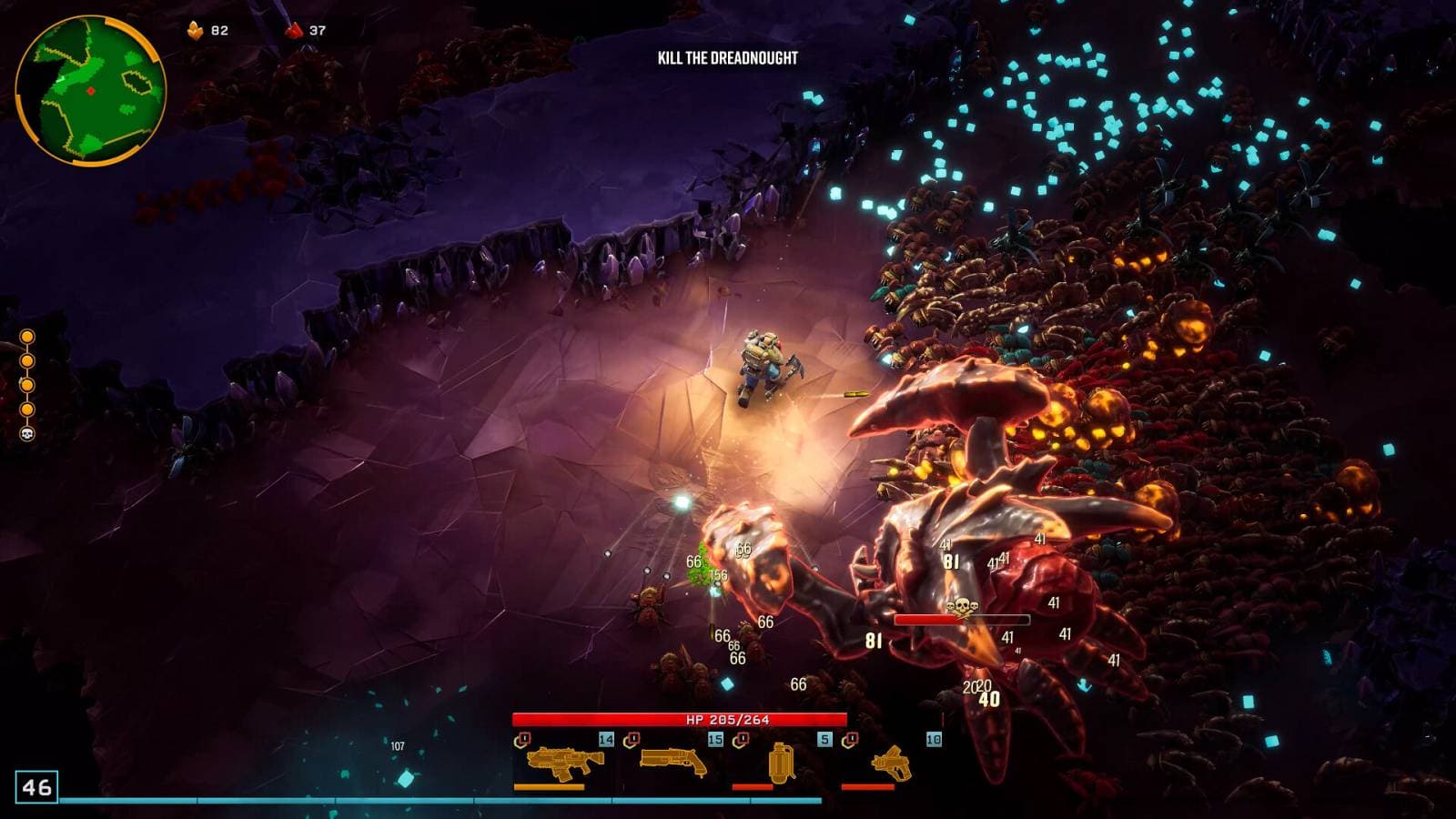
Deep Rock Galactic: Survivor automates firing, not movement: steer one dwarf through procedural caves, mine resources, meet mission objectives and make a timed return to the Drop Pod. Apple's mobile release notes document resuming a previous in-progress save and later fixes to restoring mid-run modifiers. That gives iPhone and iPad players a way back into a recorded dive instead of restarting from zero.
A resume point still does not guarantee a fresh snapshot at every instant in combat. Objective clocks and crowded swarms need attention even when firing is automatic. Google Play labels a demo and lists in-app purchases; Apple offers a free try followed by one purchase to unlock the full game. Choose it for run-based action, with the caveat that a dive demands more attention than a vault check-in.
The verdict
Choose Deep Rock Galactic: Survivor if you want a mobile action run; iPhone and iPad release notes document a way back into an in-progress save. That is not a promise that every combat exit creates a new snapshot, and the mission clock keeps the dwarf moving.
Zombie Defence
Active horde fights feed a persistent shelter through separate loops.
- Fast-paced
- Extraction
- Shelter building
- Crafting
- Permanent progress
- Platforms
- Browser Alpha in development; native mobile releases are planned, not in stores.
- Price model
- Launch price is unannounced; freemium is planned, terms are not final.
Zombie Defence links active horde fights to a persistent shelter, but through separate loops. In Scrap expeditions you gather salvage and choose when to extract; Scrap already collected is retained after extraction, defeat, or a browser-page reload, up to storage capacity. Shelter stations, crafting and research make that haul a longer-term investment. Three-wave battles and endless scavenging are separate modes, not versions of the extraction loop.
Active combat pauses with the Pause/Resume controls or Escape, so a planned interruption can stop the battle. Shelter stations and crops use separate capped elapsed-time accrual; pausing combat does not mean the whole world stops. Touch fire targets the nearest living enemy rather than free aim. It is a useful watchlist option if you want action plus a persistent shelter.
The verdict
Choose Zombie Defence to follow if you like active horde fights feeding a persistent shelter. Its explicit combat pause and retained expedition Scrap support an orderly stop, while shelter clocks remain separate from battle pause.
How we compare
A good recommendation explains who a game suits and where it falls short. Our editorial scores use the same five criteria, each rated out of ten.
- 01
Combat
Controls, aiming, enemy readability, and the decisions you make under pressure.
- 02
Progression
Build choices during a run and meaningful progress between attempts.
- 03
Usability
Control demands, platform access, interface options, and documented device requirements.
- 04
Value
What the asking price includes, optional purchases, and the scope of the free version.
- 05
Fit
How well the game answers the specific question in this article.
Which one should you try?
For the clearest planned stop, choose Subnautica: Below Zero and save before leaving; for a task-sized check-in, Fallout Shelter autosaves your Vault but leaves you managing its resource clocks. Deep Rock Galactic: Survivor documents in-progress resume on iPhone and iPad, though that is no guarantee every combat exit creates a fresh snapshot. Zombie Defence is the Alpha to watch for an explicit combat pause and Scrap that survives an interrupted browser reload; its fight-to-shelter loop adds a distinct stop-and-start option.
Your questions, answered.
Want to see what we’re building?
Zombie Defence is in Alpha. Join the waitlist.
More games to explore
- 7 Best Shelter Management Games in 2026
Compare seven shelter and colony management games, from Fallout Shelter's room assignments to resource-heavy survival, resident care, and zombie expeditions.
- 5 Mobile Shelter Management Games + One Alpha to Watch
Compare mobile shelter games by staffing, resource bottlenecks, and return-loop choices, plus Zombie Defence in Alpha.
- 7 Best Base-Building Games With Worker Assignments
Compare seven base-building games with worker management: station specialists, individual priorities, training, schedules and the production decisions they change.