7 Best Zombie Shooters With Manual Aiming
Keep moving, pick the dangerous target, and decide when to fire. These seven games put different kinds of shooting control in your hands.

The satisfying part of manual aiming is choosing which zombie matters next. You can back away from a crowd while shooting into it, turn toward an enemy threatening your escape, or stop firing long enough to make a safer reload. A bigger damage number is useful; being able to put that damage where you want it changes the fight.
For straight into-the-arena action, start with Nation Red. SAS: Zombie Assault 4 adds cooperative gun builds, The Last Stand: Aftermath makes supplies and survival matter, and Zombie Army 4: Dead War brings the fight over your shoulder. Zombie Defence connects desktop mouse aiming, run upgrades and Scrap expeditions to a persistent shelter. It is a browser Alpha in development; its waitlist covers Alpha news and playtest availability.
This comparison focuses on desktop controls. Manual aim means you choose the direction or target; manual fire means you decide when the weapon shoots. They can exist separately, as Yet Another Zombie Survivors demonstrates. Touch assistance also deserves its own description: a fire button that selects the nearest enemy is not free directional aiming. Scores are editorial judgments of the games’ documented design, with Fit measuring the freedom to direct your attacks and the decisions that make it useful.
The quick comparison
7 games, different reasons to give the next run a chance.
Choose a game to jump to its overview. Platform lists are summaries; check the linked official edition.
The games
Zombie Defence
Independent movement, directed rifle fire and reload decisions lead into weapon crafting, research and lasting shelter improvements.
- Manual aim (desktop)
- Extraction
- Shelter building
- Crafting
- Permanent progress
- Platforms
- Browser Alpha in development; desktop mouse-and-keyboard controls. Touch controls use assisted targeting.
- Price model
- Launch pricing and monetization terms have not been announced.
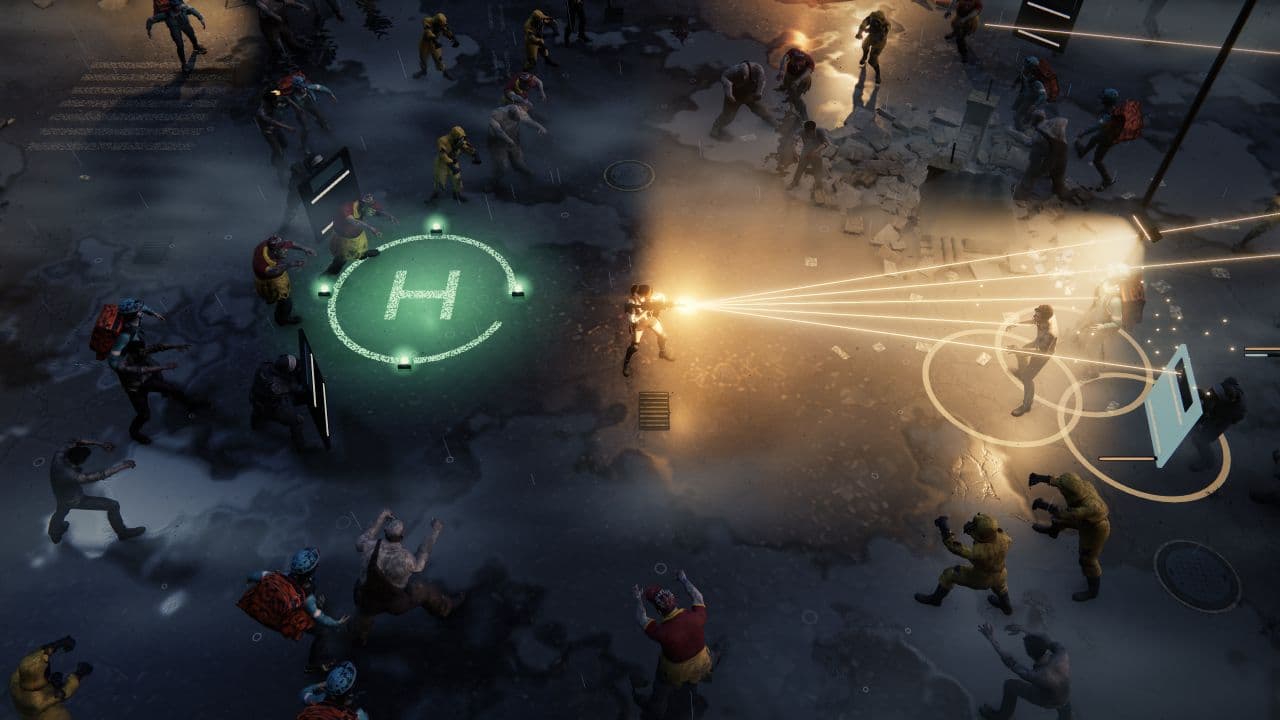
Zombie Defence makes retreating and shooting two different jobs. Move with WASD, aim with the mouse and hold fire while keeping the rifle on the threat you choose. Sprinting gives you another way to make room, although firing slows that sprint. Magazine and reserve ammunition mean that a clean lane has a second use: somewhere to reload before the crowd reaches you.
Run upgrades change what a good shot can accomplish. Split Shot adds rays to a cartridge; Bank Shot lets shots ricochet from solid surfaces; larger magazines give you longer firing windows. An impact burst can punish a cluster, but cover can block its blast. During campaign combat, each level-up offers two battle cards and one shelter investment. Taking stronger firepower now can save the fight; taking the shelter option spends that same opportunity on progress beyond it.
That longer game is the reason to choose it over a pure score chase. Separate Scrap expeditions send you through ruined streets, searching containers and finding a route back to an extraction pad. Scrap then has competing uses in shelter stations, weapon projects and research. Collected expedition Scrap survives defeat within storage limits, so the appeal is choosing your route and improving your next deployment rather than risking an entire haul on one missed shot.
On touch, a movement stick and FIRE button use a different arrangement: holding FIRE targets the nearest living enemy, with a separate reload control. Choose desktop when selecting the firing direction yourself is the priority. The shelter adds worthwhile decisions between fights, but it also asks you to enjoy resource allocation alongside the shooting.
The verdict
Choose Zombie Defence for hands-on desktop shooting that feeds a longer campaign of weapon and shelter decisions.
Nation Red
A fast arena shooter that gives you direct aim, on-demand reloads and useful ways to recover when the horde gets close.
- Manual aim
- Fast-paced
- Co-op
- Tactical combat
- Platforms
- Windows and Linux via Steam; keyboard-and-mouse and gamepad controls.
- Price model
- Premium purchase; a free Steam demo is listed.
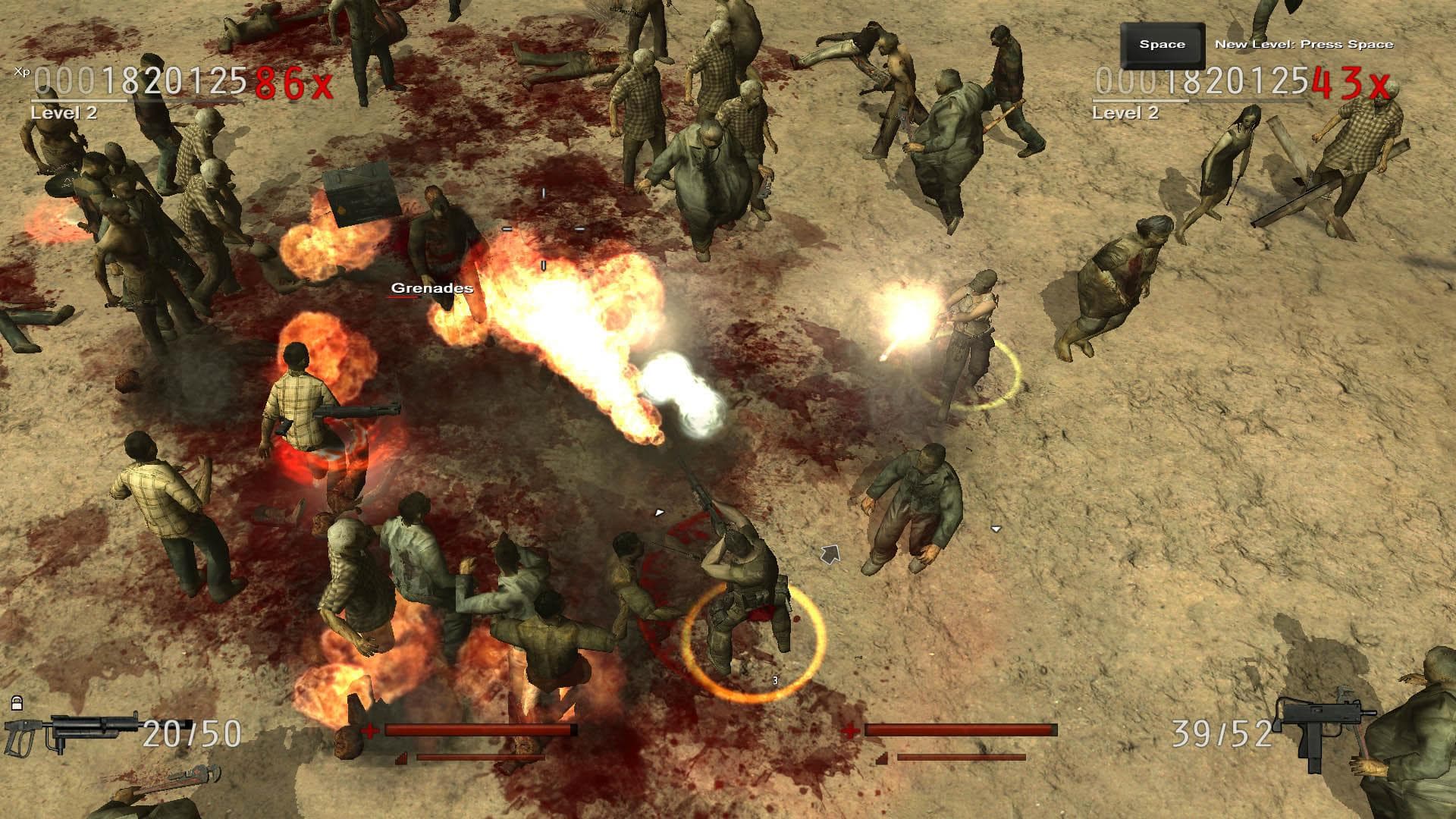
Nation Red is a good starting point when you want the controls themselves to carry the action. WASD moves, the cursor directs attacks, left-click uses the weapon and R reloads. Right-click adds a physical attack that can briefly disable nearby enemies, while E gives you an evasive jump. When a firing lane collapses, you have more answers than continuing to hold the trigger.
One small control is especially useful: F locks your current weapon so walking over another pickup does not replace it. That lets you keep a weapon whose range and reload rhythm suit the situation. Cursor placement also directs some perk attacks, making your aim relevant beyond the gun in your hands.
Bosses, armed zombies, weapon drops and a large perk pool keep the arena decisions changing. Free Play, Survival, Barricade and mission play offer different reasons to return, with local and online co-op available. The tradeoff is the concentrated pace: several threats can compete for your attention at once. Pick it for repeatable fighting and build experiments, rather than a shelter campaign waiting after every run.
The verdict
The clearest pick here for players who want to aim, reload, evade and improvise without a large management layer.
SAS: Zombie Assault 4
Direct gunplay sits inside a gear-heavy action RPG, with class abilities and teammates adding more ways to handle a dangerous room.
- Manual aim
- Co-op
- Loot builds
- Permanent progress
- Platforms
- Windows and macOS via Steam; desktop edition.
- Price model
- Free to play with optional in-app purchases.
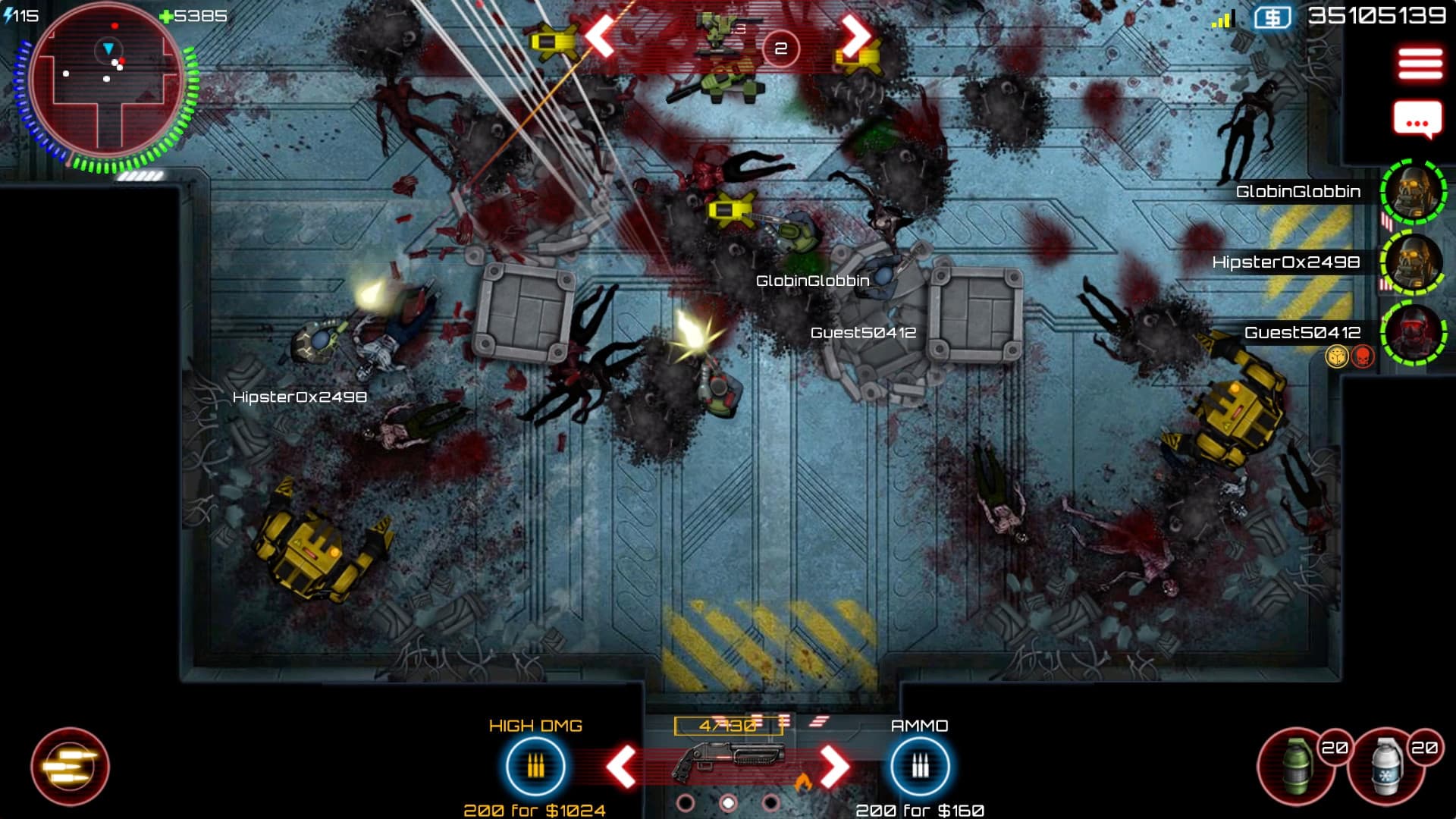
SAS: Zombie Assault 4 is the choice when aiming should be part of a team job. The Steam edition gives you keyboard-and-mouse or controller play. On a controller, check the “Fire with trigger” option if you prefer firing as a separate action. Settle on the input arrangement you want before building around it: directing a weapon and deciding when it fires are separate preferences.
Your loadout holds a pistol and two larger weapons, so there is room to carry different answers to a crowd or a tougher target. Reload-time augmentations matter alongside damage and fire rate. Class abilities, turrets and movable objects used as temporary cover broaden the question from “Can I hit this zombie?” to “Where should our team make room to fight?” Solo play is available, and online co-op supports up to four.
The progression is a substantial part of the purchase decision even though entry is free. Assault, Medic and Heavy Gunner have their own skill trees, and weapon and armor drops lead to repeated loadout decisions. Choose it if tuning a build sounds as appealing as directing it. If you mainly want an uncluttered shooting exercise, the equipment layer and optional purchases are extra things to weigh.
The verdict
Choose SAS4 when you want manual shooting to grow with a character build and a cooperative team.
The Last Stand: Aftermath
A solo action roguelite in which choosing whether to fight can be as important as choosing where to aim.
- Manual aim
- Roguelite
- Crafting
- Permanent progress
- Platforms
- Windows PC; PlayStation 4/5 and Xbox Series X|S also have editions. Controls discussed here are for PC.
- Price model
- Premium purchase.
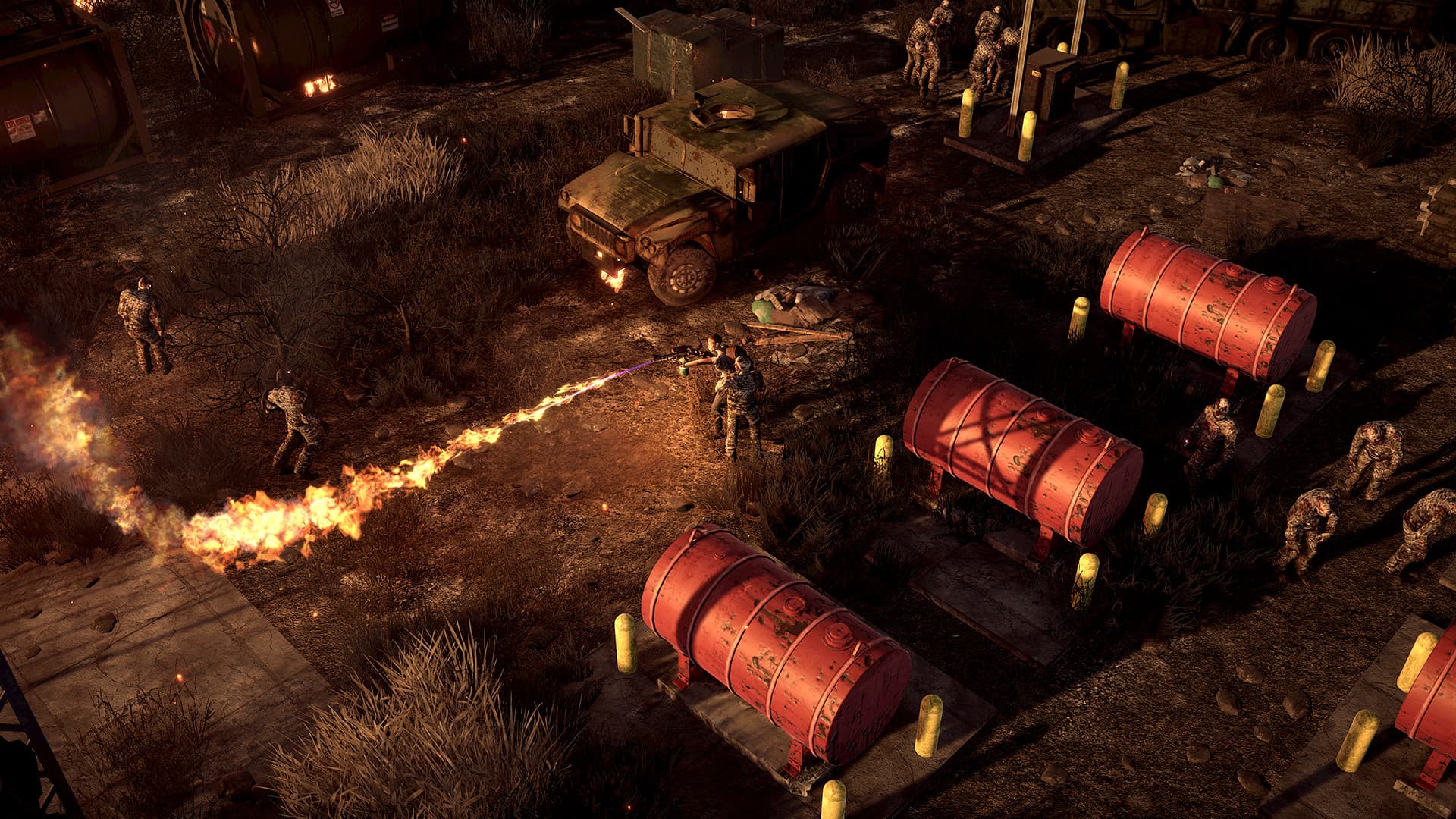
Aftermath gives shooting a cost beyond missing a target. Your infected survivor searches for fuel, gathers supplies and crafts useful equipment while travelling through dangerous locations. Sneaking is an alternative to fighting. That makes a clean shot valuable for a different reason than in Nation Red: a fight is part of a journey whose resources have other jobs to do.
The PC controls offer hold or toggle aiming, a useful choice if you dislike maintaining an aim button through every encounter. Reloading is also a commitment: it cannot happen at the same time as interacting with objects. Clear breathing room before deciding whether to refill the weapon or use something in the environment. The order of those actions can matter more than firing another hurried burst.
Infection keeps pushing the run forward, and mutations can offer power as the survivor’s situation worsens. Death brings another survivor with unlocks earned through earlier progress. That gives repeated attempts a purpose, but it is a demanding fit if you only want a relaxed shooting range. Take it for deliberate solo survival decisions, including the decision to save your ammunition and leave a fight alone.
The verdict
Pick Aftermath when you want manual shooting to serve survival, with real reasons to fire carefully or avoid an encounter.
Zombie Outbreak Arena
A direct route from opening a browser game to aiming, dashing and choosing upgrades against an endless horde.
- Manual aim
- Fast-paced
- Loot builds
- Platforms
- Desktop browser via Poki; keyboard and mouse.
- Price model
- Free browser play on an advertising-supported portal.
On Poki, the controls are easy to check: WASD moves, the cursor aims, left-click shoots, Shift dashes and Q/E switch weapons. That gives you a simple exercise to work on immediately: move toward open ground while aiming back at the crowd following you. Use the dash to reach open ground instead of trying to solve every encirclement with more bullets.
Day and night settings give you a useful difficulty choice. Darkness brings a flashlight and an XP bonus, but also makes spotting threats more demanding. Start in daylight if you want to learn movement and aiming together, then add the visibility challenge when that rhythm feels comfortable.
Skills, weapon pickups and power-ups give the survival loop variety without turning it into an expedition campaign. The attraction is the short path to a fight; the tradeoff is that an endless arena gives you fewer reasons to explore beyond the next useful pickup. Choose it for direct browser action and repeat attempts at staying alive longer.

The verdict
The simplest browser starting point here for practicing independent movement and cursor-directed fire.
Zombie Army 4: Dead War
An over-the-shoulder alternative for players who want to line up shots through a 3D world rather than aim across a top-down arena.
- Manual aim
- Co-op
- Permanent progress
- Tactical combat
- Platforms
- Windows PC via Steam; base-game edition.
- Price model
- Premium base game; Season Pass One is free for owners, with other paid DLC sold separately.
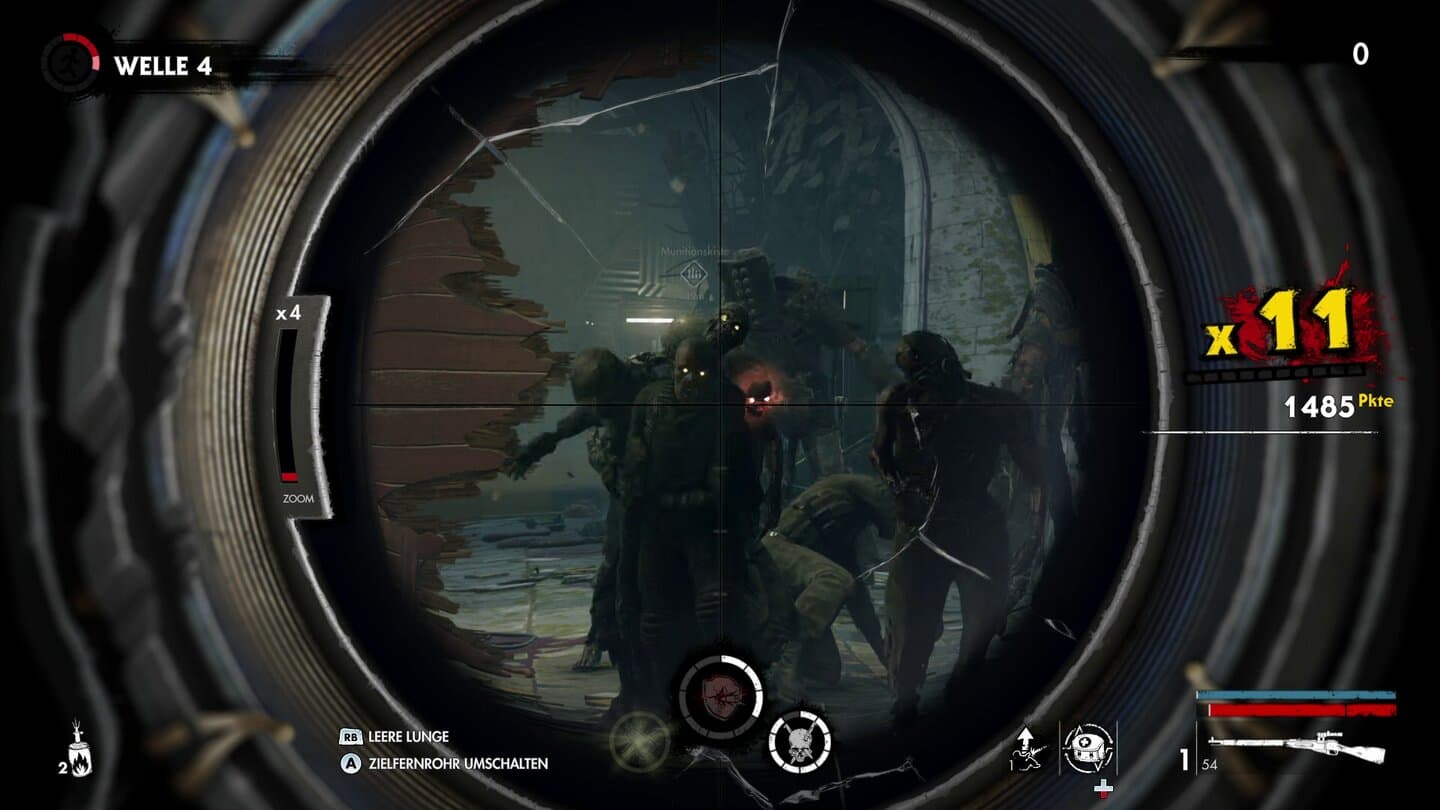
Zombie Army 4 changes what you need to watch while aiming. You are looking through the battlefield from behind a survivor, so the fight involves lining up a shot and keeping track of threats outside that view. Rebellion’s Sniper Elite-style ballistics and X-ray kill camera make shot placement a central part of the appeal. It suits players who want a more deliberate target picture than a screen full of overhead silhouettes.
Precision is only one answer. Melee attacks and takedowns give you responses when zombies get close, while workbench upgrades add effects such as fire and electricity to weapons. The useful habit is to choose the right response for the distance: do not keep chasing a neat shot when the immediate problem is making space. Campaign play supports one to four players, so friends can share the pressure.
Horde mode adds a different rhythm, expanding the available map as you survive. The base game and free first season offer a substantial starting package, but later missions and weapon packs make edition shopping worth a moment of care. Buy for the campaign and gunplay you actually want, rather than assuming every store bundle is required for aimed co-op combat.
The verdict
Choose it when manual aiming means reading a 3D firing line, with a campaign and friends to keep the pressure on.
Yet Another Zombie Survivors
A squad shooter that defaults to automatic attacks but lets you take control of aiming, with firing automation configured separately.
- Manual aim
- Squad builds
- Roguelite
- Permanent progress
- Platforms
- Windows PC via Steam; keyboard/mouse and PC-controller options.
- Price model
- Premium purchase; a free Steam demo is listed.
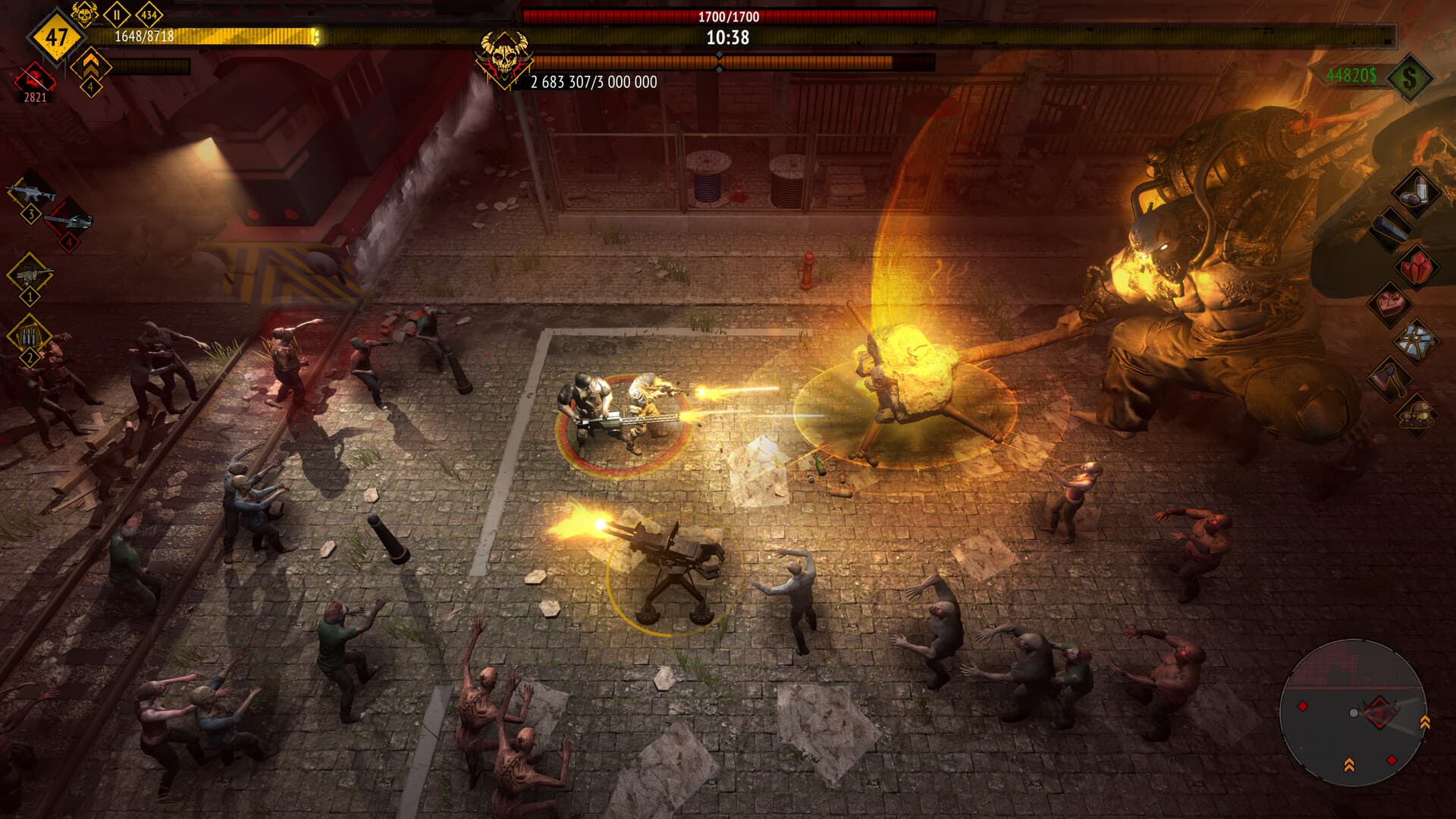
Do not rule out Yet Another Zombie Survivors because its default controls handle attacks automatically. Open Options, then Controls, for separate auto-aim and auto-fire toggles. Leader only and Whole team manual-aim modes let you choose how much of the squad to direct, with the right stick used to aim on a PC controller. Those choices make a practical difference: deciding where damage goes need not mean giving up every form of firing assistance.
Start with one survivor and recruit up to two allies to form a three-person squad. Weapons, abilities, evolutions and items then determine what that squad can do. Manual aiming is useful when one dangerous target deserves attention, while the rest of the run still asks you to steer around threats and put a compatible build together. It is a different pleasure from managing one gun and a backpack of scavenged ammunition.
Use the demo to find the balance you enjoy: a leader you direct, or a whole team pointed toward the same problem. The important purchase question is whether you want aiming layered onto a build-driven game. Permanent upgrades and character progression give it staying power, but squad synergies remain central even when you take over the aim. The survivors form your single-player team, not a multiplayer party.
The verdict
Pick it for flexible aiming assistance and squad builds; choose Nation Red or Aftermath when individual weapon handling is the main attraction.
How we compare
A good recommendation explains who a game suits and where it falls short. Our editorial scores use the same five criteria, each rated out of ten.
- 01
Combat
Controls, aiming, enemy readability, and the decisions you make under pressure.
- 02
Progression
Build choices during a run and meaningful progress between attempts.
- 03
Usability
Control demands, platform access, interface options, and documented device requirements.
- 04
Value
What the asking price includes, optional purchases, and the scope of the free version.
- 05
Fit
How well the game answers the specific question in this article.
Which one should you try?
Choose the decision you want to make under pressure. Nation Red is strongest for an immediate toolkit of aiming, reloading and evasion; Zombie Outbreak Arena puts direct cursor fire in a browser. SAS4 gives those fights a cooperative gear-building context, Aftermath makes them part of a survival journey, and Zombie Army 4 adds third-person shot placement. Yet Another Zombie Survivors suits players who want manual direction with adjustable automation. Zombie Defence brings together desktop control, evolving weapon builds and a persistent shelter, making it especially relevant if you want each fight to help shape the next deployment.
Your questions, answered.
Want to see what we’re building?
Zombie Defence is in Alpha. Join the waitlist.
More games to explore
- 9 Best Zombie Horde Shooters in 2026
Compare nine zombie horde shooters, from co-op campaigns and expanding survival arenas to mobile auto-shooters and persistent shelter runs.
- 4 Best Zombie Arena Shooters in 2026: Three to Play, One to Watch
Compare three playable zombie arena shooters with a browser Alpha project to watch, from top-down twin-stick battles to squad builds and direct mouse aim.
- 5 Free Zombie Survival Games Online, Plus Zombie Defence in Alpha
Compare five free-entry zombie games across hunger, ammo, shelter, and upgrades, plus Zombie Defence’s browser Alpha with manual shooting and a persistent resource shelter.