4 Browser Games for Short Sessions, Plus Zombie Defence in Alpha
A timed target, a between-wave choice, a manual save or a pause button can all make a browser game easier to leave.
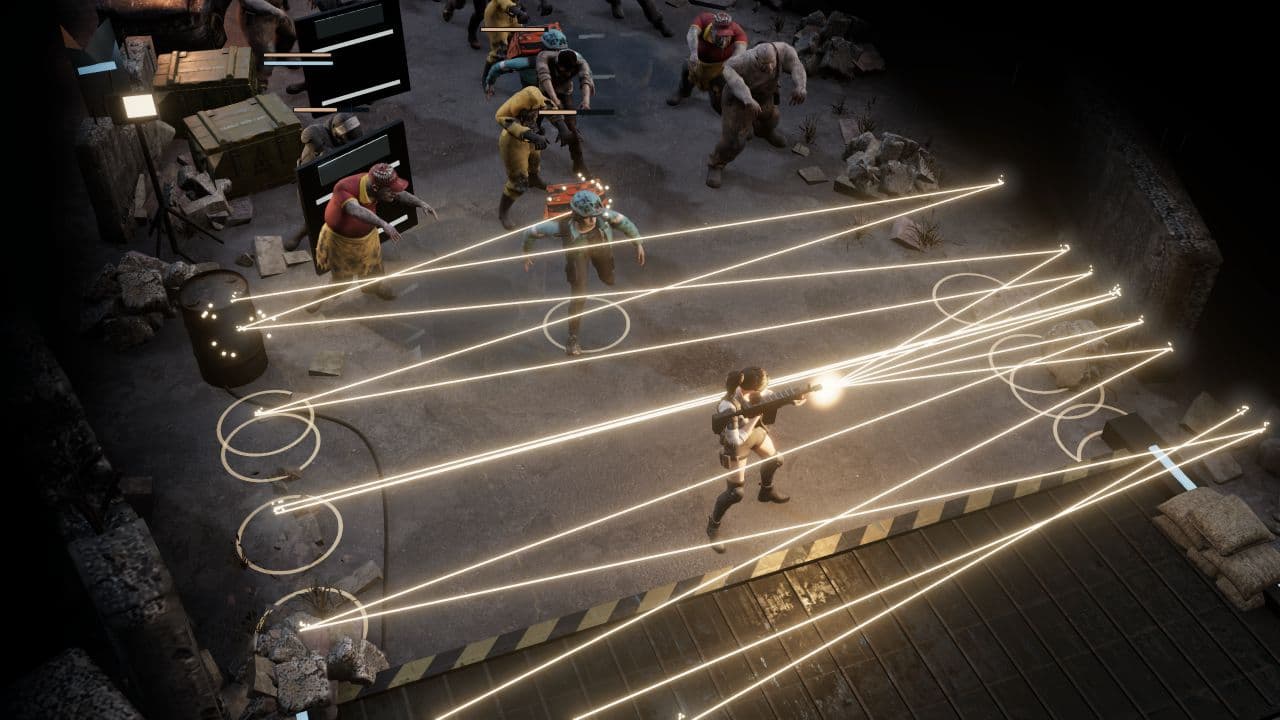
A browser game can fit a short break in different ways: an officially timed run, choices between waves, or a world with a visible save or pause control. 10 Minutes Till Dawn is the clearest timed pick; A Dark Room and Kittens Game offer explicit ways to stop, while Zombie Horde: Build & Survive is organized around repeated setup-and-wave cycles.
This list compares four released browser games by where play can pause and what their current pages show about saving. Zombie Defence sits outside that list: its in-development browser Alpha pairs battle pauses with distinct outings and persistent shelter goals.
The quick comparison
5 games, different reasons to give the next run a chance.
Choose a game to jump to its overview. Platform lists are summaries; check the linked official edition.
The games
Zombie Defence
A top-down shooter whose current development build can pause active combat, then connect separate outings to persistent shelter progress.
- Manual aim (desktop)
- Extraction
- Shelter building
- Crafting
- Permanent progress
- Platforms
- Browser Alpha in development; public playable access is not confirmed. Native mobile releases are planned.
- Price model
- Freemium is planned; final release pricing and monetization are unconfirmed.
For a break that might end suddenly, a pause command is more useful than a fixed run timer. In the current development build, Pause/Resume and Escape stop and restart battle simulation; a window losing focus also pauses combat. Three-wave sector battles have a clear game-defined endpoint, while Scrap expeditions are a separate outing with an extraction goal.
The stop has a longer tail in the shelter. Shelter investment persists through defeat, and Scrap picked up during an expedition is retained after extraction, defeat or an interrupted page reload up to storage capacity. That gives each completed outing consequences beyond the current wave. The shelter uses rooms and stations rather than freeform construction.
The verdict
Choose Zombie Defence if you want a clear pause control for hands-on zombie action and shelter progress that gives later outings a purpose.
10 Minutes Till Dawn
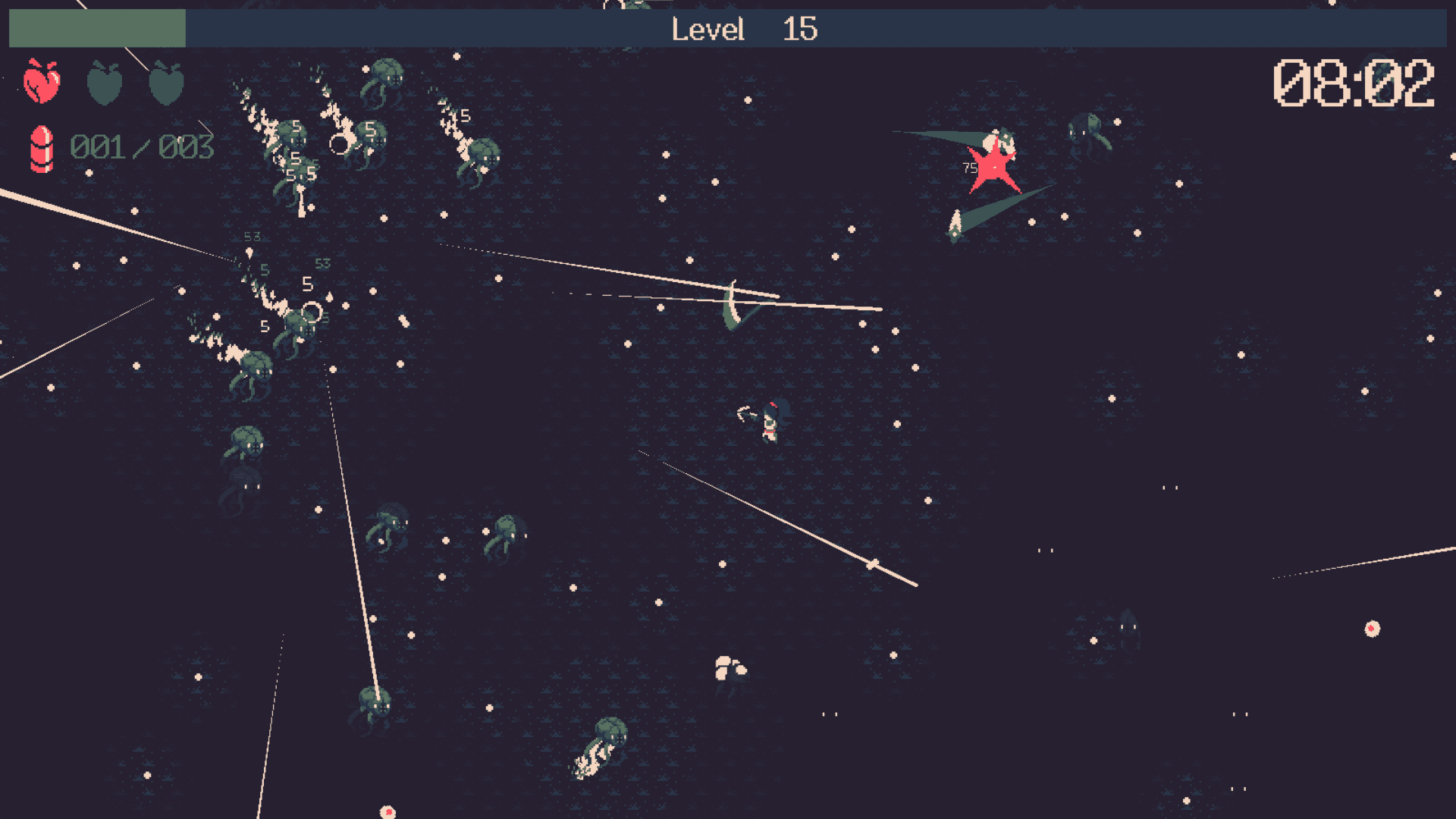
A top-down roguelite asks you to survive a monster horde until the run’s ten-minute target.
- Fast-paced
- Manual aim
- Short runs
- Roguelite
- Platforms
- Free HTML5 browser demo on itch.io; WASD movement and held left-click firing. The fuller release is separate on Steam.
- Price model
- Free browser demo; the separate full game is sold on Steam.
This is the strongest match if you want a focused attempt with a clear target. The developer describes surviving for ten minutes and advertises casual five-to-ten-minute sessions. A run may end sooner if the hero falls. The demo uses WASD to move and held left-click to fire.
Hero and weapon choices set up each attempt, then more than fifty listed upgrades shape its build as experience arrives. The timer gives a clear successful finish in a genre that often grows without one. Movement and held shooting ask for attention while the horde is live, so it suits a deliberate action break more than a low-attention management check-in.
The verdict
Pick 10 Minutes Till Dawn when you want an action run with a stated finish target and can give it your attention until the run ends.
Zombie Horde: Build & Survive
An auto-shooter where steering controls aim and each round begins with choices about barricades, weapons and traps.
- Fast-paced
- Base defense
- Platforms
- Browser on desktop, mobile and tablet through CrazyGames.
- Price model
- Free browser play on CrazyGames.
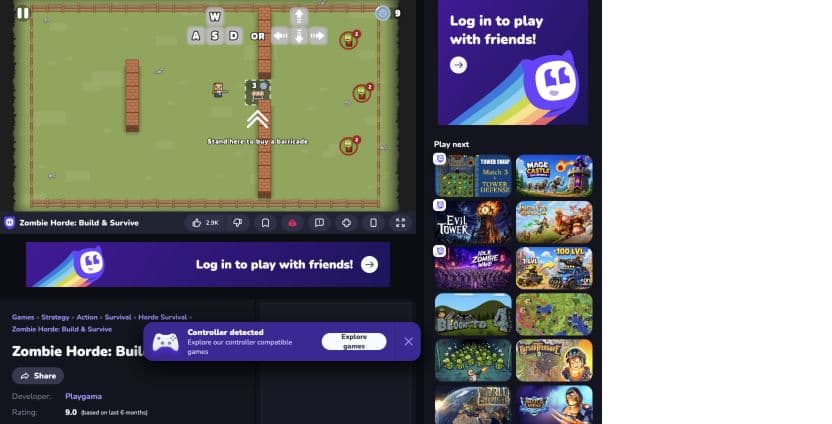
Zombie Horde: Build & Survive gives you a defense decision before the next rush. CrazyGames describes each round as starting with options to barricade or arm up, with rewards funding stronger weapons, turrets and spiked floors. Once a wave is underway, shooting is automatic and the direction you move sets the aim, so positioning doubles as offense.
The setup is a natural decision point before the next wave: consider the defense, then deal with enemies. The action is built around movement and positioning; A Dark Room and Kittens Game offer explicit save or pause controls.
The verdict
Choose Zombie Horde: Build & Survive if you like setting a defense before a fresh wave and steering your automatic fire through the attack.
A Dark Room
A minimalist text adventure that reveals new mechanics and places over time, with a visible browser Save command.
- Exploration
- Platforms
- Free official browser game; the publisher lists separate mobile editions.
- Price model
- Free to play on the web.
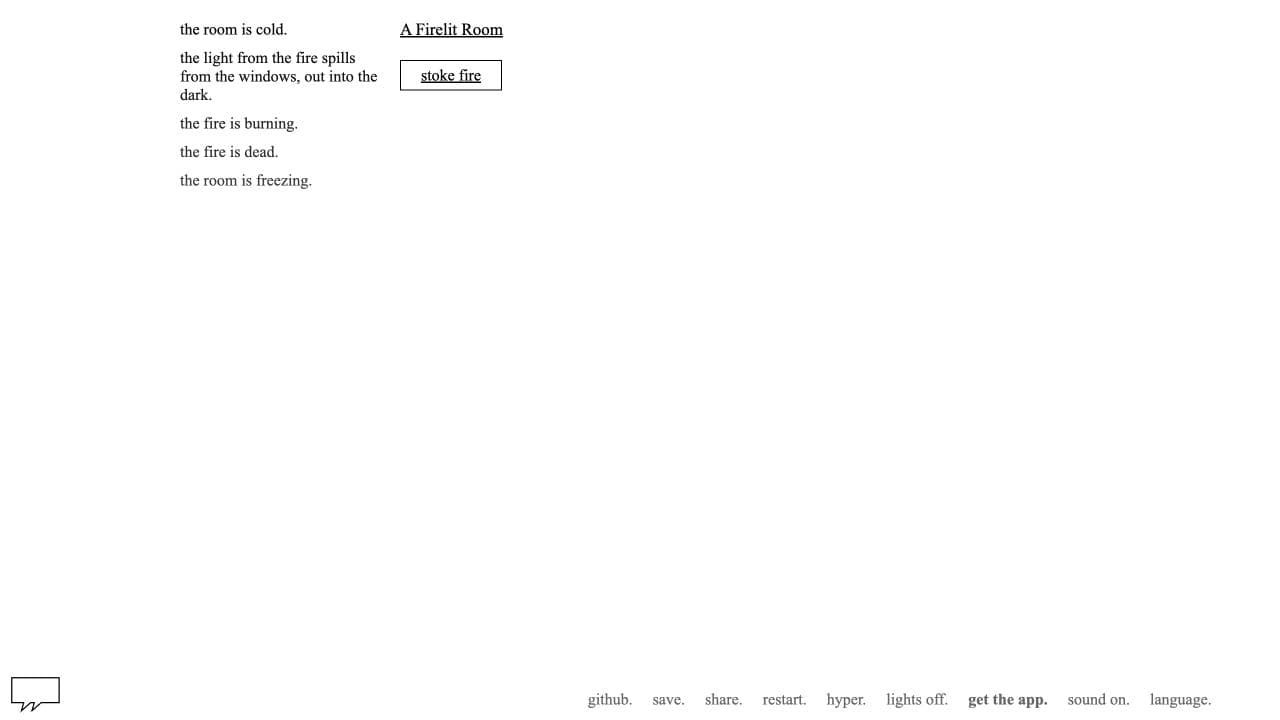
A Dark Room trades a match timer for small decisions. Its official browser opening presents a cold room, a fire to stoke and wood to gather; the publisher describes a text adventure that gradually adds mechanics, interactivity and exploration. It is easy to stop after a discrete action or a new text beat without leaving an active horde behind.
The current game page exposes a Save command and displays saved status, giving this slower story a concrete way to mark a break. The appeal is gradual discovery; the tradeoff is that progress is text- and resource-led rather than a compact action round.
The verdict
Choose A Dark Room if you want a story to advance in small resource decisions and a visible Save control between them.
Kittens Game
A semi-idle village simulator whose browser interface shows autosaving, a Save command and a pause control.
- Idle progress
- Farming
- Permanent progress
- Platforms
- Official browser version; a separate Steam Early Access edition is available.
- Price model
- Free in the official browser version; the Steam edition is sold separately.
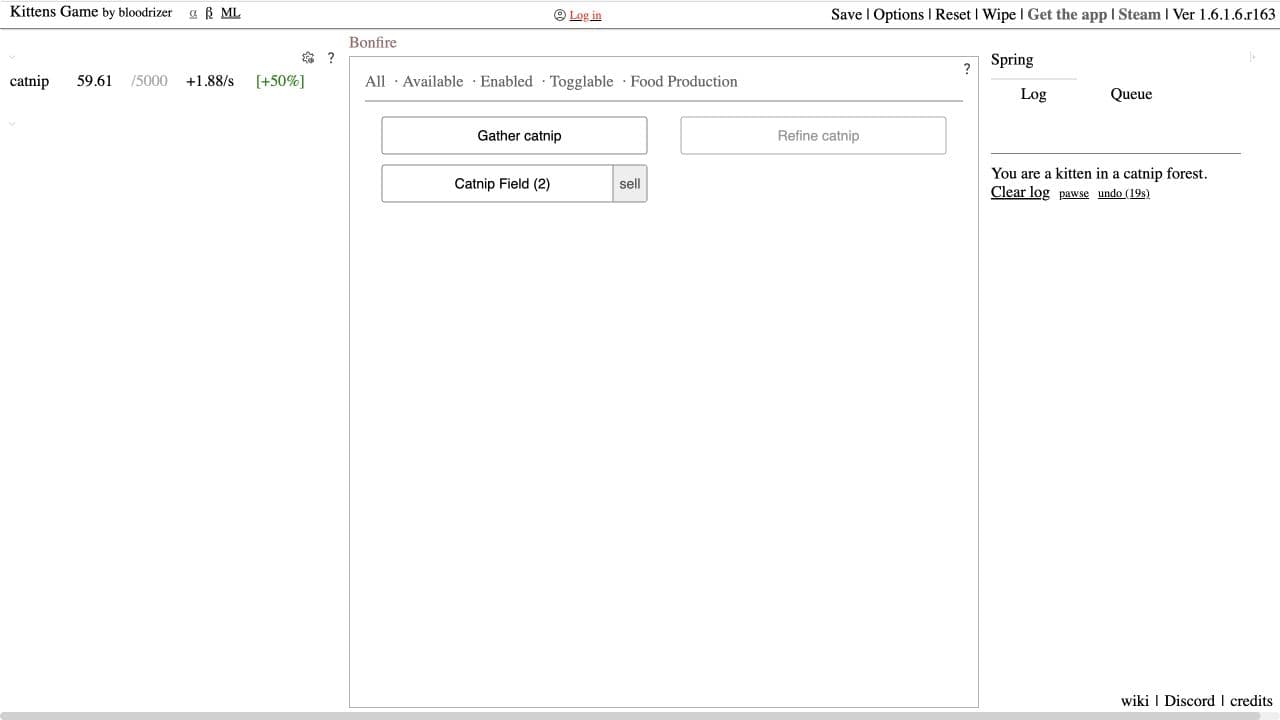
Kittens Game is designed for long-term settlement growth, but its browser controls make a short check-in easy to end cleanly. The official interface shows an autosaving and saved status, a Save command, and a pause/unpause control. A resource screen such as the catnip fields gives you a compact decision: review production, make one change, save and pause.
This is a pause-and-save choice rather than a timed run. Its tradeoff is scale: the village opens into a dense economy of jobs, resources, buildings and technologies, so an easy stop does not make the whole game small. The free browser version is separate from the paid Steam edition.
The verdict
Choose Kittens Game if you prefer to pause a growing settlement and return after a deliberate save, rather than finish a timed round.
How we compare
A good recommendation explains who a game suits and where it falls short. Our editorial scores use the same five criteria, each rated out of ten.
- 01
Combat
Controls, aiming, enemy readability, and the decisions you make under pressure.
- 02
Progression
Build choices during a run and meaningful progress between attempts.
- 03
Usability
Control demands, platform access, interface options, and documented device requirements.
- 04
Value
What the asking price includes, optional purchases, and the scope of the free version.
- 05
Fit
How well the game answers the specific question in this article.
Which one should you try?
Use 10 Minutes Till Dawn when you want a timed run, Zombie Horde: Build & Survive for a defense choice before another wave, A Dark Room for a story you can save between actions, and Kittens Game when a deliberate pause matters more than a short finish. Zombie Defence combines a battle pause with extraction and shelter goals for players who want their next action outing to support a lasting base. Use its Join the waitlist link if you want updates on that design.
Your questions, answered.
Want to see what we’re building?
Zombie Defence is in Alpha. Join the waitlist.
More games to explore
- 6 Browser Horde-Survival Games, Plus Zombie Defence in Alpha
Compare six browser-playable horde games by how you manage rising enemy pressure, plus Zombie Defence in Alpha. See which are demos and which are full browser games.
- 6 Browser Shooting Games With Upgrades, Plus Zombie Defence in Alpha
Compare six browser-playable shooters by what their upgrades change, from run-only builds and weapon shops to longer-term unlocks, plus Zombie Defence in Alpha.
- 11 Best Browser Zombie Games in 2026
Compare 10 playable browser zombie games for action, survival, defense and driving, plus Zombie Defence’s browser Alpha with shooting, extraction and shelter growth.