4 Released Zombie Games for iPad & Android Tablets + 1 Alpha
Four released games, from one-handed horde action to aimed missions and base raids.
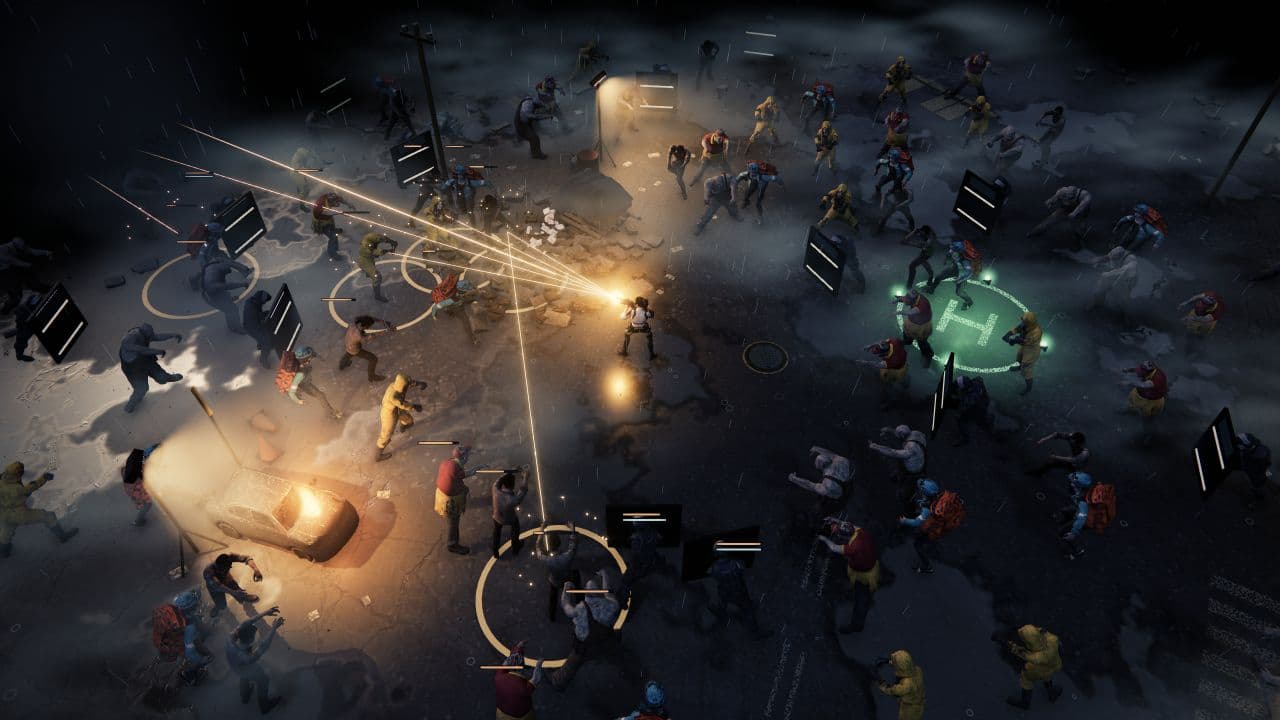
Tablet play changes how far thumbs travel and whether aiming competes with movement. These four released games have current iPad listings; Android compatibility is model-specific, so check Google Play for your tablet before installing. Tablet comfort, layout scaling and performance have not been tested. The images show mobile gameplay, not confirmed tablet layouts.
Zombie Defence is separate from the released picks: it is an in-development browser Alpha, with native mobile releases planned.
The quick comparison
5 games, different reasons to give the next run a chance.
Choose a game to jump to its overview. Platform lists are summaries; check the linked official edition.
The games
Zombie Waves
An overhead arena shooter that pairs one-handed movement with auto-aim and layered builds.
- Fast-paced
- Roguelite
- Squad builds
- Platforms
- Android on Google Play (device eligibility varies); iPhone and iPad on the U.S. App Store (iPadOS 15 or later).
- Price model
- Free to download with in-app purchases; Google Play lists ads and purchases that include random items.
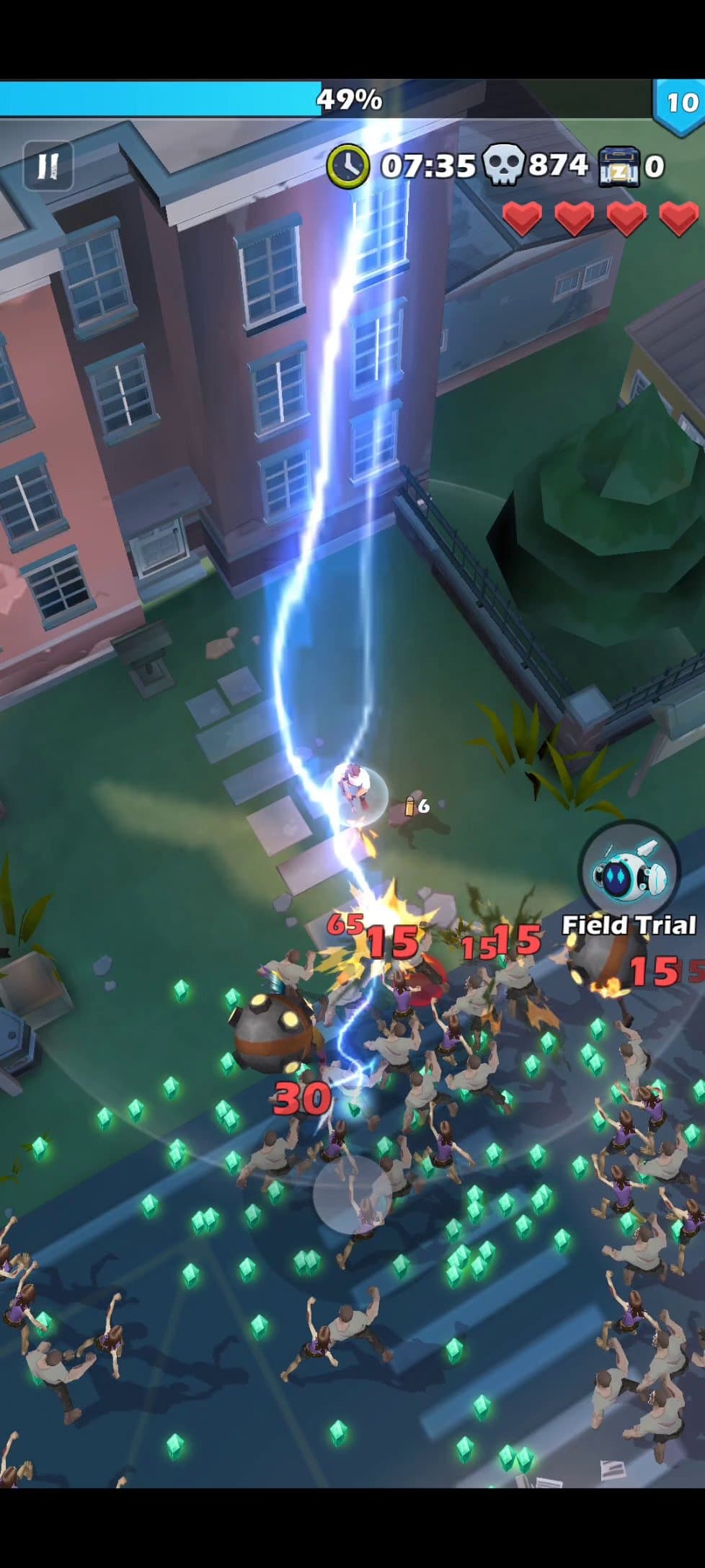
Zombie Waves is the pick when you want movement to carry most of the live input. You steer one-handed while auto-aim handles firing, so the immediate decision is where to kite the horde and find a gap, not whether your thumbs can juggle movement and a reticle. That may reduce control switching on a large touch surface, but it also gives up shot-by-shot target priority. Compared with the aim-heavy missions below, its central challenge is spacing and timing.
Runs add more than 100 roguelite skills, bosses, heroes, gear and companions, changing how you build each attempt. Skill choices and upgrade screens create planning pauses around the horde action, while the combat itself keeps movement at the center. The cost is an upgrade-heavy loop, plus ads and purchases that include random items on Google Play. Choose Zombie Waves for crowd movement and evolving builds; skip it if precise manual fire is the point.
The verdict
Choose Zombie Waves for one-handed arena movement and a broad skill-build loop.
DEAD TRIGGER 2
A first-person zombie shooter with mission regions, a large weapon pool and a staffed Hideout.
- Fast-paced
- Tactical combat
- Platforms
- Android on Google Play (device eligibility varies); iPhone and iPad on the U.S. App Store.
- Price model
- Free with in-app purchases on iPhone/iPad; Google Play also lists ads.
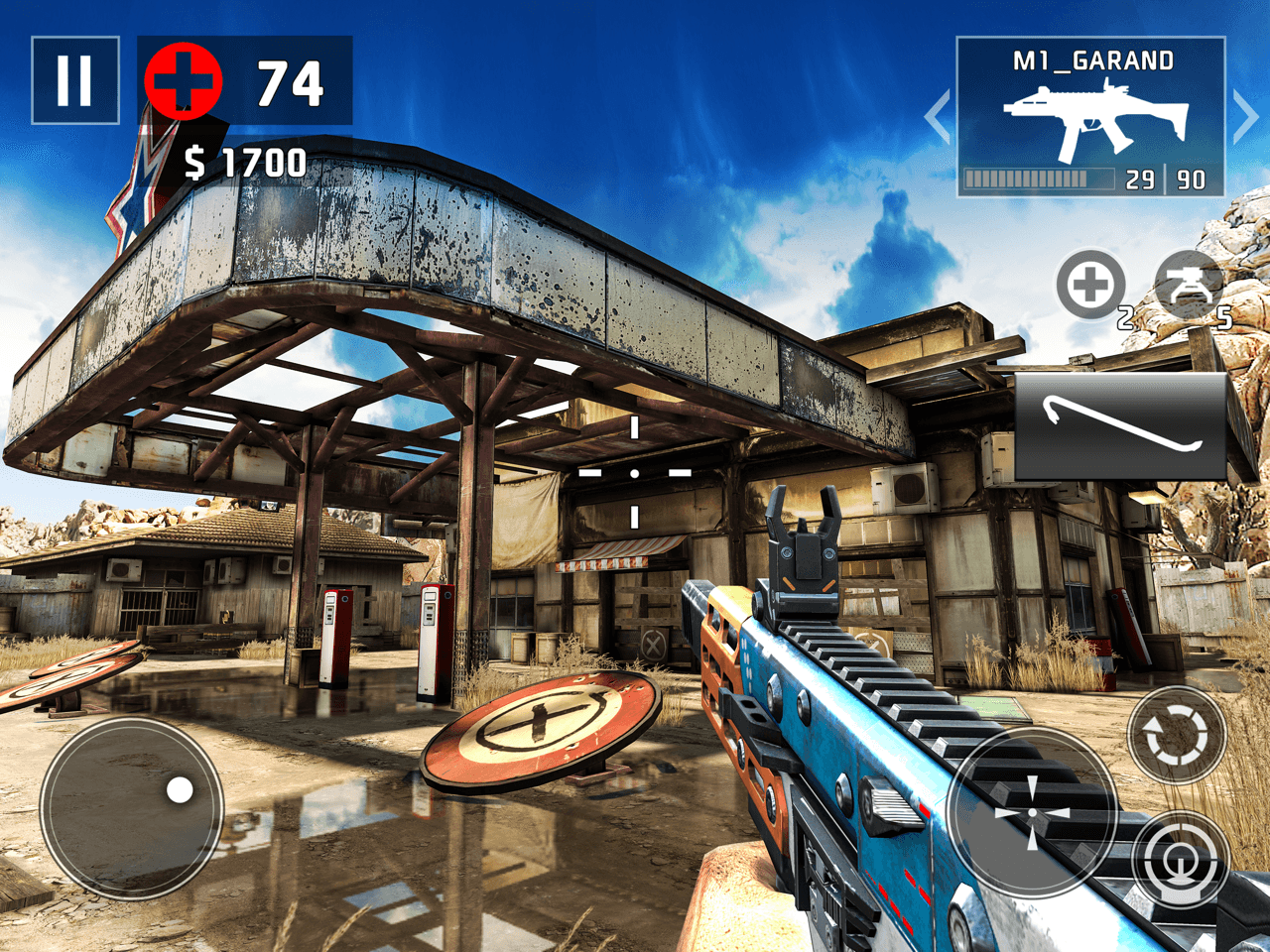
DEAD TRIGGER 2 is the direct choice for first-person missions. Its mobile control options include touch targeting and an enhanced virtual joystick, so players can choose between direct target control and a stick-led setup. The visible HUD separates movement on the left from aiming, firing, reload and weapon actions on the right. This workload makes movement and precision aiming competing priorities during a firefight, a meaningful reach question on any broad touch surface.
Regions and mission battlefields give the campaign structure, while more than 70 weapons, gadgets and a staffed Hideout add goals between sorties. Those planning screens make progression easy to parse and provide a pause from live aiming, but the many actions still ask for coordination in combat. Google Play lists ads and in-app purchases alongside the free install. Choose it when first-person missions and equipment variety justify a busier active-control phase.
The verdict
Pick DEAD TRIGGER 2 for first-person missions and a broad weapon choice.
Into the Dead 2
A forward-moving first-person survival action game built around chapters, stages and changing threats.
- Fast-paced
- Tactical combat
- Platforms
- Standard Android Google Play and iPhone/iPad U.S. App Store editions; Netflix Into the Dead 2: Unleashed is a separate app.
- Price model
- Free with ads and in-app purchases on Google Play; Apple lists in-app purchases and an optional monthly VIP subscription.
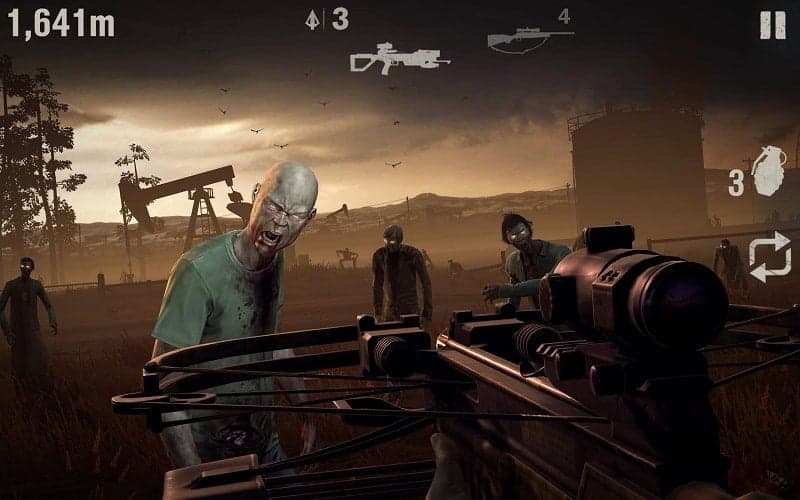
Into the Dead 2 makes the route the main organizing idea: run forward through stages as zombies and obstacles demand quick steering and weapon decisions. Seven story chapters, alternate endings and events supply a campaign spine. The directed path can keep the immediate priority legible—survive what is ahead—without asking for free-roaming navigation. That makes its decision rhythm distinct from Zombie Waves’ crowd spacing or DEAD TRIGGER 2’s simultaneous movement and manual aiming.
Preparation sits between stages: choose weapons, tune ammo perks and bring a canine companion, then manage ammunition as the run advances. Loadout decisions and active forward movement have separate jobs, but the fixed route limits repositioning and exploration. Google Play lists ads and purchases; Apple lists in-app purchases and an optional monthly VIP subscription. Choose Into the Dead 2 for story-led runs and changing threats, rather than shelter building or open-map movement.
The verdict
Choose Into the Dead 2 for route-led story action and changing zombie threats.
Left to Survive
An over-the-shoulder zombie shooter that connects campaign missions to a survivor base.
- Fast-paced
- Shelter building
- Base defense
- Platforms
- Android on Google Play (device eligibility varies); iPhone and iPad on the U.S. App Store (iPadOS 15 or later).
- Price model
- Free with in-app purchases; Google Play lists ads and purchases including random items. The optional Premium Survival Pass adds progression benefits.
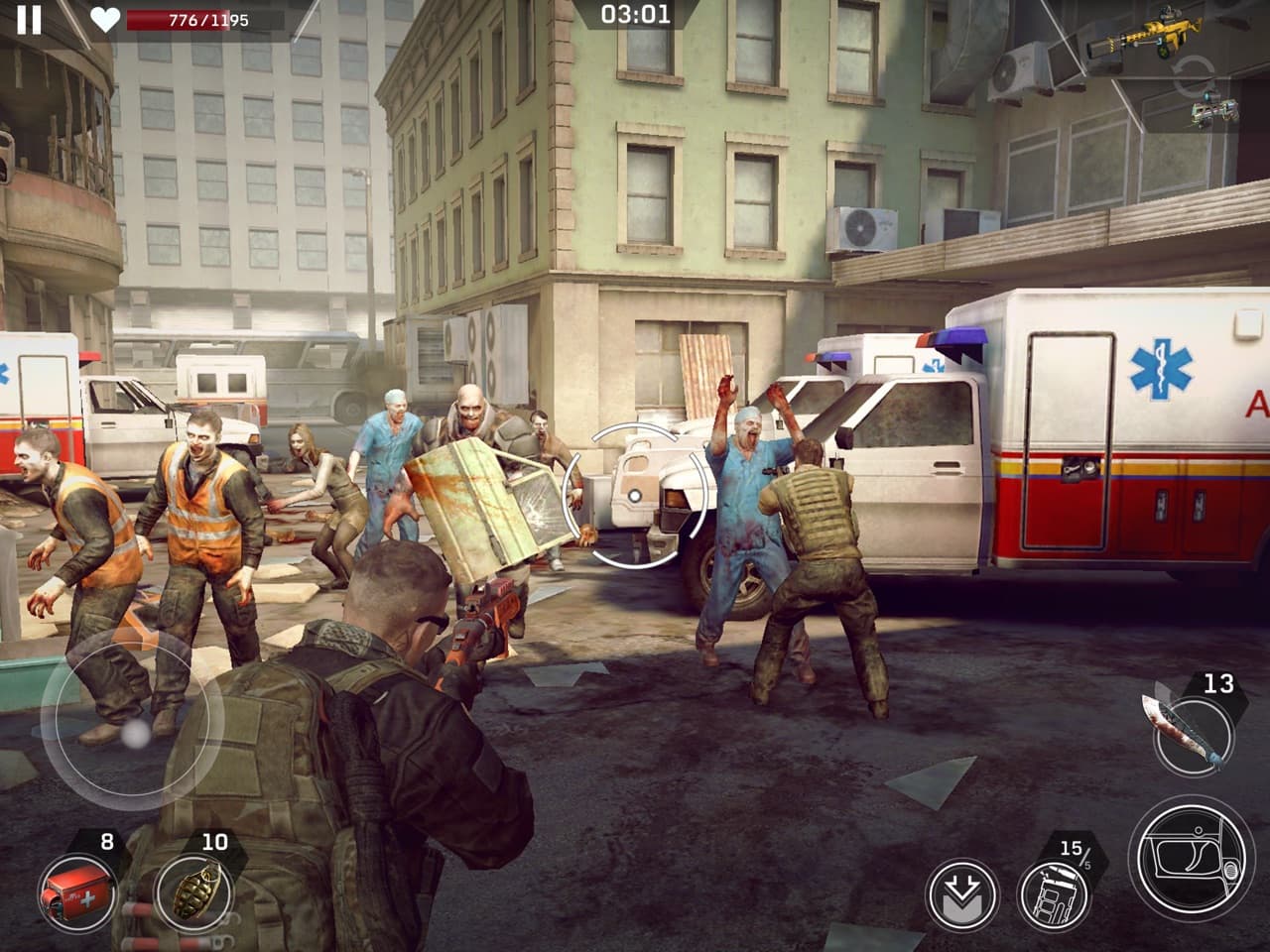
Left to Survive suits players who want aimed third-person combat tied to a survivor operation. Its mobile HUD places a reticle over the center of an over-shoulder view, with weapon and action controls around it; Apple’s release notes also describe optional PvE zoom for weak-spot shots. Compared with Zombie Waves’ auto-aim, this puts more target selection on the player. The reticle keeps the shooting priority explicit, while weapon and ability actions compete for attention.
Missions feed into survivor rescue, base upgrades and helicopter raids; solo and 2v2 PvP add another branch. This creates more between-mission priorities than a simple campaign shooter, but also more menus, events and progression to track. The Premium Survival Pass adds building, mission-reward and production benefits, a meaningful paid edge. Choose Left to Survive when third-person aiming and base growth belong in the same loop, not when you want the leanest setup.
The verdict
Choose Left to Survive for third-person missions linked to survivor-base development.
Zombie Defence
An Alpha project pairing active top-down shooting, Scrap extraction and persistent shelter systems.
- Fast-paced
- Extraction
- Shelter building
- Crafting
- Permanent progress
- Platforms
- In-development browser Alpha; no current Android or iPhone/iPad store app is established. Native mobile releases are planned.
- Price model
- No released mobile price or final monetization terms are established; freemium is planned.
Zombie Defence links a Scrap run to preparation at home. Extracted Scrap supports station production, weapon crafting and research; cultivated lettuce and tomatoes can be eaten or cooked into meals that boost health or attack on the next deployment. The shelter is managed through fixed stations rather than freeform building. Combat is active top-down shooting. Touch moves with one control and fires at the nearest living enemy, while desktop cursor aim lets players choose direction. Assisted touch firing could leave more attention for movement and escape timing, at the cost of exact target choice.
The loop has a clear handoff: decide what to improve between runs, then protect the extraction route under pressure. Fixed stations make planning legible but constrain freeform shelter design; active combat still demands positioning as enemies close. Zombie Defence remains an in-development browser Alpha, with native mobile releases planned, so this comparison describes implemented systems rather than a released tablet edition. Follow the waitlist if extraction-to-shelter progression appeals.
The verdict
Follow Zombie Defence for its extraction-to-shelter direction as its planned mobile release develops.
How we compare
A good recommendation explains who a game suits and where it falls short. Our editorial scores use the same five criteria, each rated out of ten.
- 01
Combat
Controls, aiming, enemy readability, and the decisions you make under pressure.
- 02
Progression
Build choices during a run and meaningful progress between attempts.
- 03
Usability
Control demands, platform access, interface options, and documented device requirements.
- 04
Value
What the asking price includes, optional purchases, and the scope of the free version.
- 05
Fit
How well the game answers the specific question in this article.
Which one should you try?
Choose Zombie Waves for movement-led horde runs, DEAD TRIGGER 2 for first-person missions, Into the Dead 2 for a guided story route, or Left to Survive for aimed combat connected to base growth. Zombie Defence offers a different extraction-to-shelter loop through its in-development browser Alpha; native mobile releases are planned. Join the waitlist to follow its progress.
Your questions, answered.
Want to see what we’re building?
Zombie Defence is in Alpha. Join the waitlist.
More games to explore
- 4 Mobile 3D Horde Survival Games + One Alpha to Watch
Compare four mobile 3D horde survival games by aiming, movement, upgrades and price, plus Zombie Defence’s extraction-to-shelter Alpha.
- 7 Last War Alternatives for Players Who Want More Shooting
Want more shooting in a zombie game than Last War’s lane battles? Compare seven alternatives, from mobile FPS missions to horde roguelites and Zombie Defence’s shelter shooter.
- 7 Games Like State of Survival With More Direct Combat
Compare seven State of Survival alternatives that put you in the fight, from mobile shooters to zombie survival games with lasting shelters.